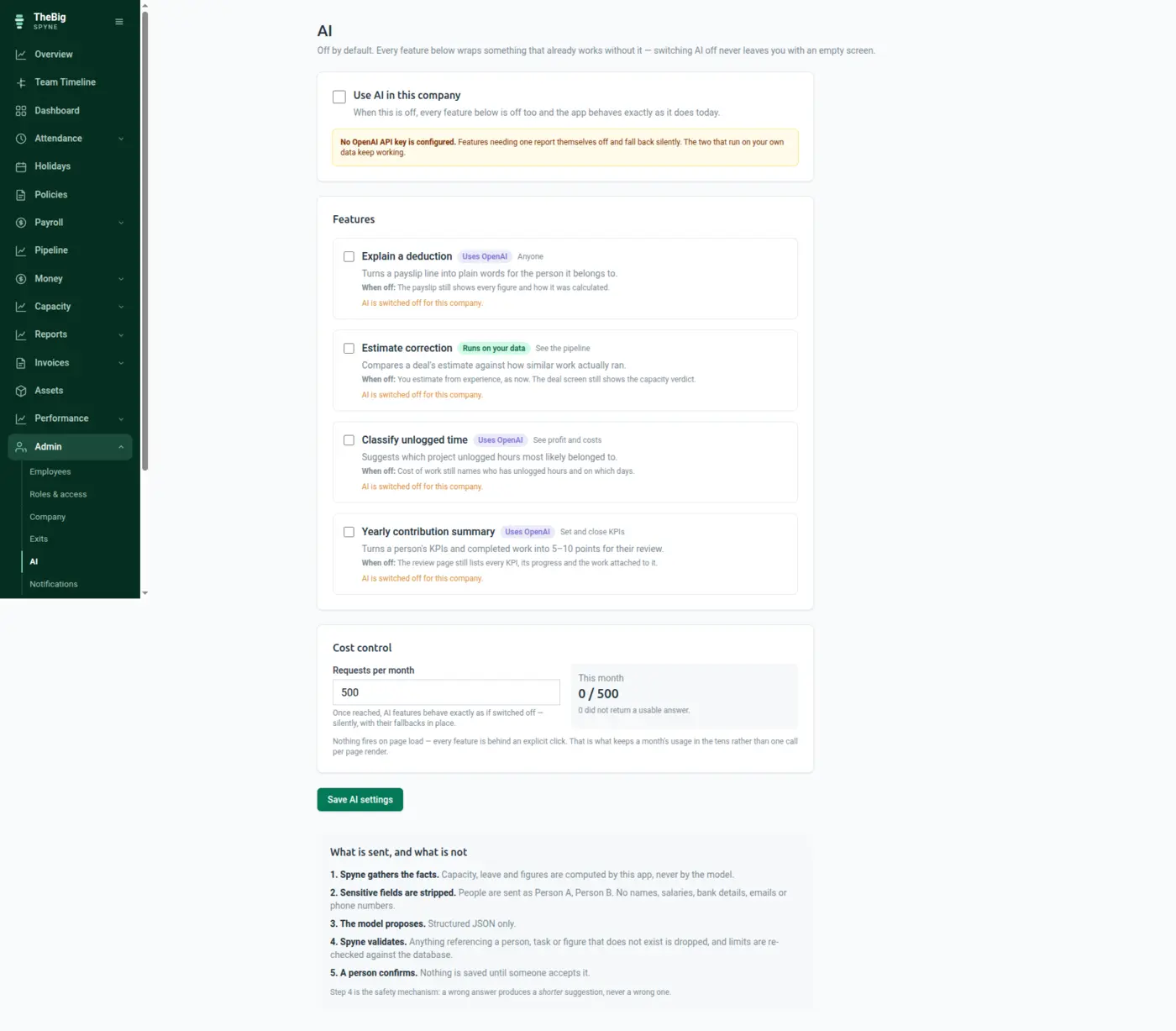
Every AI feature here wraps a path that already works without it. If the switch is off, the key is missing, or the model returns nonsense, you get the manual path and no error — you should not be able to tell "off" from "failed".
30 days free · no card · your data exports whenever you want it
AI in business software is usually load-bearing and unaccountable: it is on by default, it is in the critical path, and when it invents something there is no way to tell. In a system holding payroll, that is not an acceptable trade.
Per company, and per feature. Nothing is sent anywhere until an admin makes that decision deliberately.
People are sent as tokens rather than names where a feature needs them at all. No salary, no attendance, no leave — a summary cannot mention what it was never given.
Figures are matched against the ones we supplied and identifiers against the database. One bad claim discards the whole response.
The settings screen states, for each one, exactly what you still have when it is off. Nothing is only available through the model.
Requests are counted and capped. When the cap is reached the features stop and the admin who set it is told, rather than a bill arriving.
The contribution summary rejects itself if one point misreports one KPI. A partly-correct performance review is more dangerous than none, because nobody knows which half to trust.
Estimate correction is regression over your own history — no model, no API key, nothing sent anywhere. The settings screen labels which are which.
| Default | Off, for every company and every feature |
|---|---|
| Features | Explain a payslip line, estimate correction, classify unlogged time, yearly contribution summary |
| Runs on your data only | Estimate correction — no external call at all |
| Never sent | Names where avoidable, salaries, attendance, leave |
| Verification | Figures and identifiers checked against the database; a failed check discards the response |
| Cost control | Monthly request cap per company, with an alert when reached |
No. Requests go to a commercial API under terms that exclude training, and most features send pseudonymised facts rather than records. The features that run on your own history never leave the database at all.
In most cases you never see it. Every response is validated — figures against the ones we supplied, identifiers against the database — and a response that fails is discarded silently in favour of the manual path.
No, and most companies do not. It is off by default and every screen works fully without it. That is a deliberate architectural rule, not a roadmap position.
It is included, with a monthly request cap you set. When the cap is reached the features stop until the next month rather than continuing to spend.
These are not separate products. What you record in one is what the next one reads.
Start a trial and generate a full sample company in one click — three months of attendance, payroll, invoices and projects, all joined up. Then delete it and start for real.