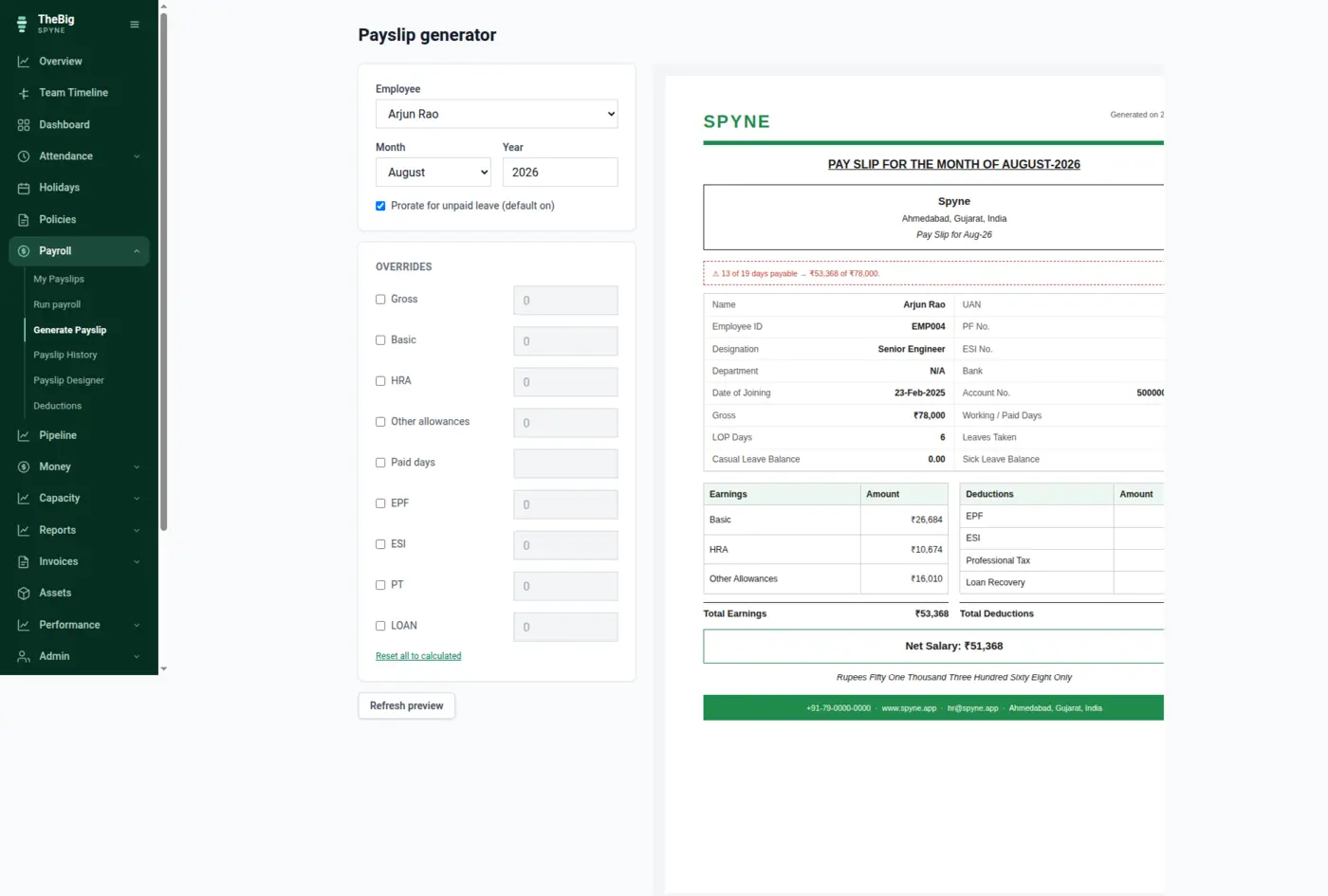
Pick a person and a month. Spyne prorates against real attendance, applies your deduction rules, and shows you the payslip before anything is issued. Once issued, it is frozen — because a payslip is a record, not a view.
30 days free · no card · your data exports whenever you want it
Payroll in a spreadsheet recalculates history. Give somebody a raise in April and last year's payslips quietly change too — which is fine until an employee downloads one and it no longer matches the one they were sent.
Spyne pulls the salary that was effective in that month, the attendance for it, and the deduction rules you have switched on.
Every line can be overridden, and an override is recorded as one. The preview is a server render — there is no second calculation in the browser to drift from the first.
Issuing writes an immutable snapshot with every figure on it, renders the PDF and tells the employee.
Run payroll for everybody at once. Spyne shows what each person will be paid and why before anything is issued, and reports exactly which rows succeeded and which need a look.
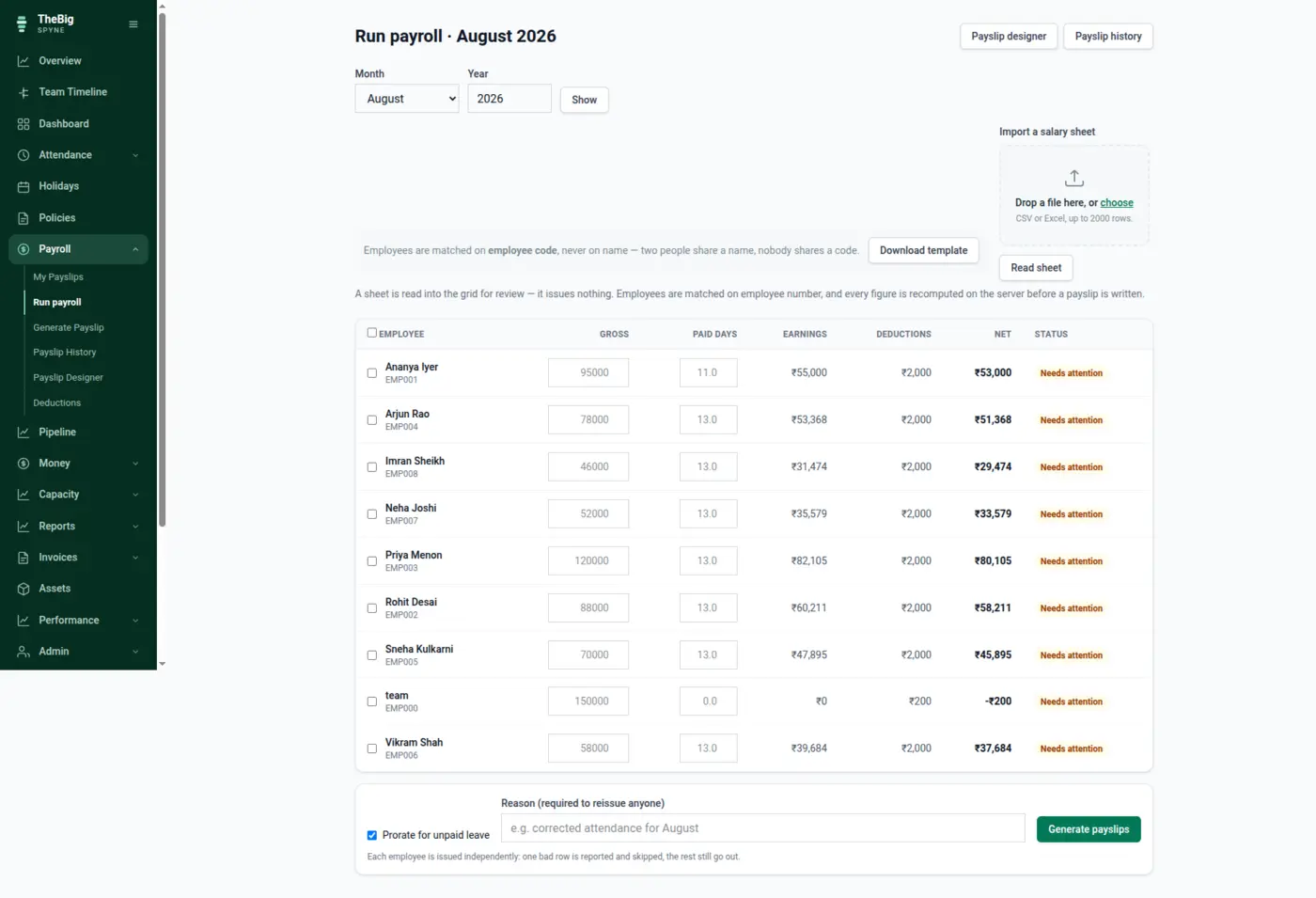
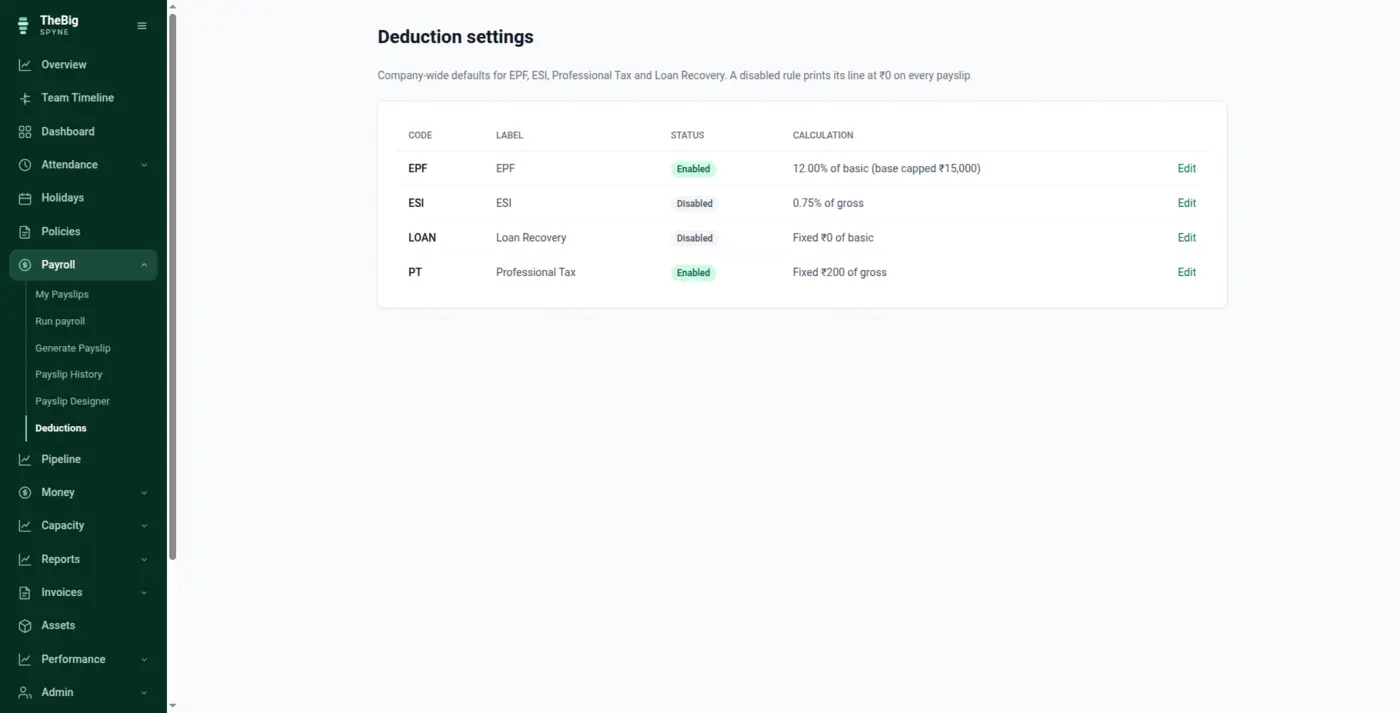
Deductions are configurable rules with their own caps and thresholds, not hard-coded percentages. Switch on what applies to you, set the numbers, and payroll applies them consistently.
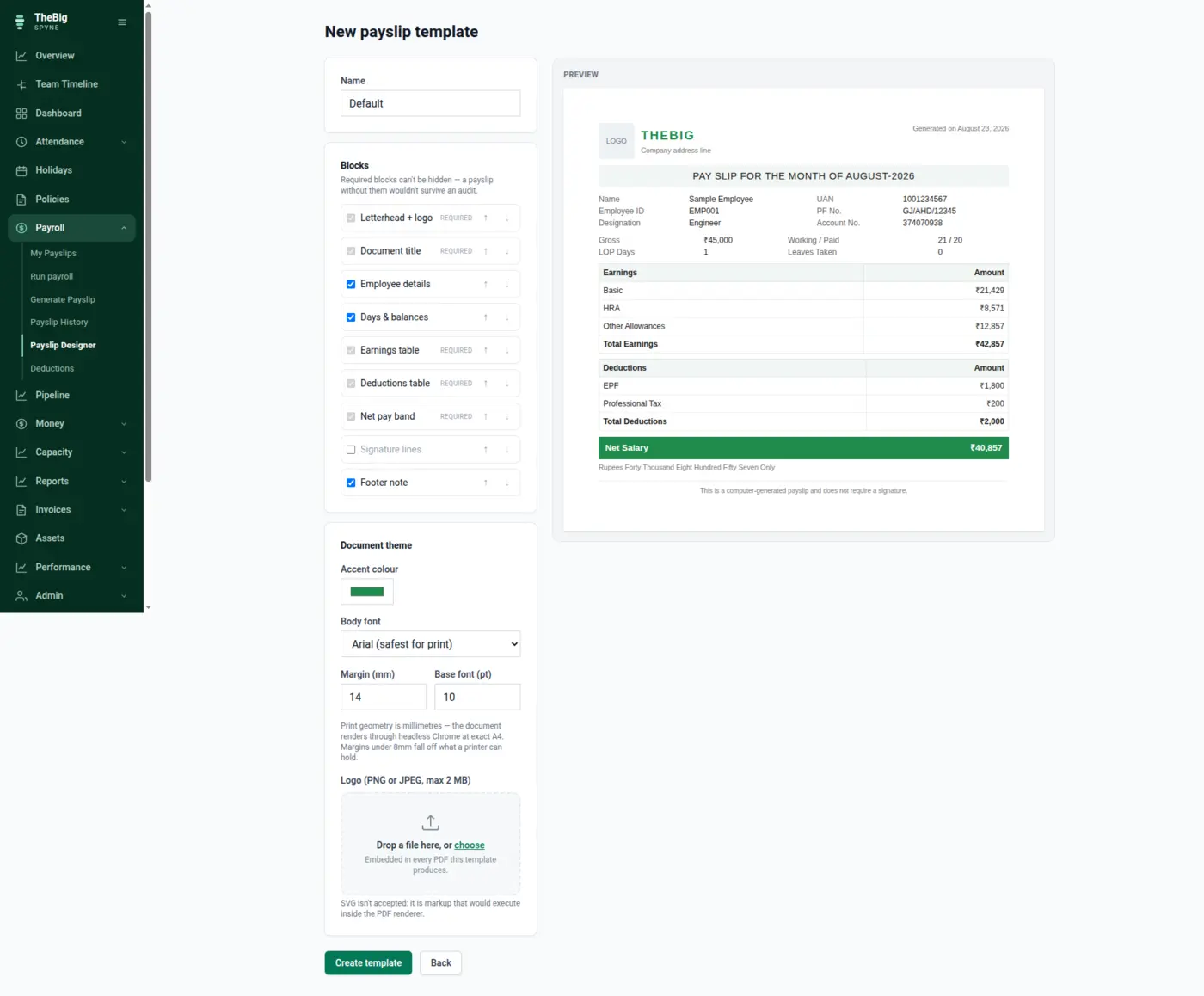
Design the payslip once — logo, colours, which blocks appear — and every issued document uses it. The PDF is rendered at exact A4 through headless Chrome, so what you see is what prints.
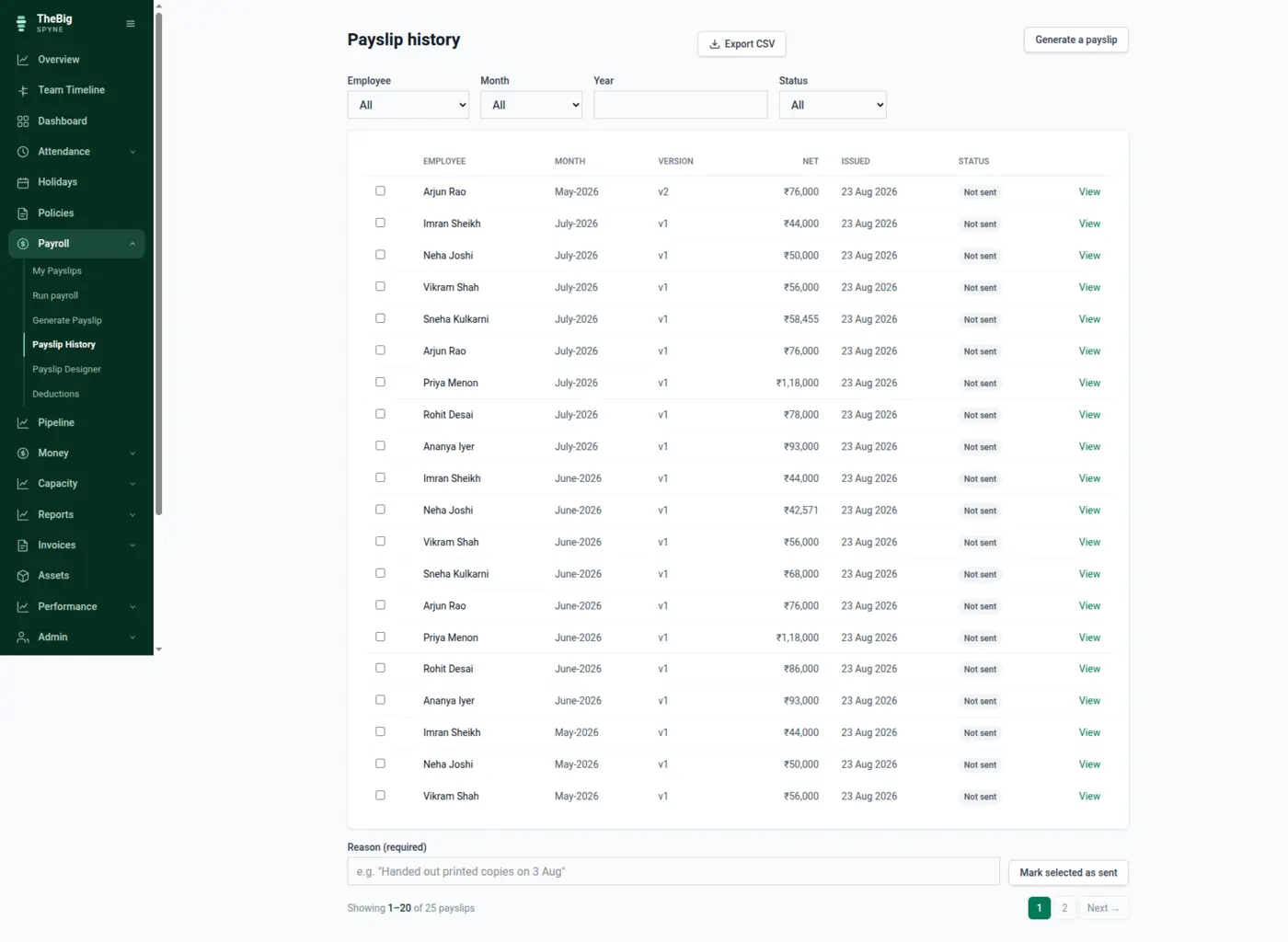
Every figure — gross, the split percentages, days, each line item and the totals — is stored on the payslip when it is issued. Reports read the snapshot, never a fresh calculation.
A raise inserts a new salary row; it never edits the old one. March's payroll keeps March's number however many times somebody is promoted afterwards.
Basic plus HRA plus other allowances always equals total earnings. Spyne rounds the components and lets allowances absorb the remainder, so three roundings can never disagree with the total.
A reissue needs a reason and creates a new version. The previous version stays readable beside it, which is what makes the correction defensible.
| Statutory deductions | EPF, ESI, professional tax, loan recovery |
|---|---|
| Money precision | Integer paise throughout — never a float |
| Prorating | From real attendance, with loss of pay applied |
| Issued payslips | Immutable snapshots, versioned on reissue |
| Output | A4 PDF, downloadable and emailable |
| Currency | INR by default; USD and others for companies outside India |
Yes. Each is a rule with its own rate, wage cap and eligibility threshold that you set once. They are applied to every payslip consistently, and shown as separate lines on the document.
Nothing. Salaries are effective-dated, so a raise inserts a new row from the date it applies. And every issued payslip already stores its own figures, so it would not change even if the salary history did.
Yes — with a reason. That produces a new version; the original is kept and stays visible. Reports count only the current version, so a correction never double-counts.
Any line can be overridden before issue, and the payslip records which fields were overridden. The server recomputes everything else from the database first, so an override changes one number rather than the basis of all of them.
No. The browser previews; the server computes. There is exactly one implementation of the payroll arithmetic, which is why the preview and the issued payslip can never disagree.
These are not separate products. What you record in one is what the next one reads.
Start a trial and generate a full sample company in one click — three months of attendance, payroll, invoices and projects, all joined up. Then delete it and start for real.