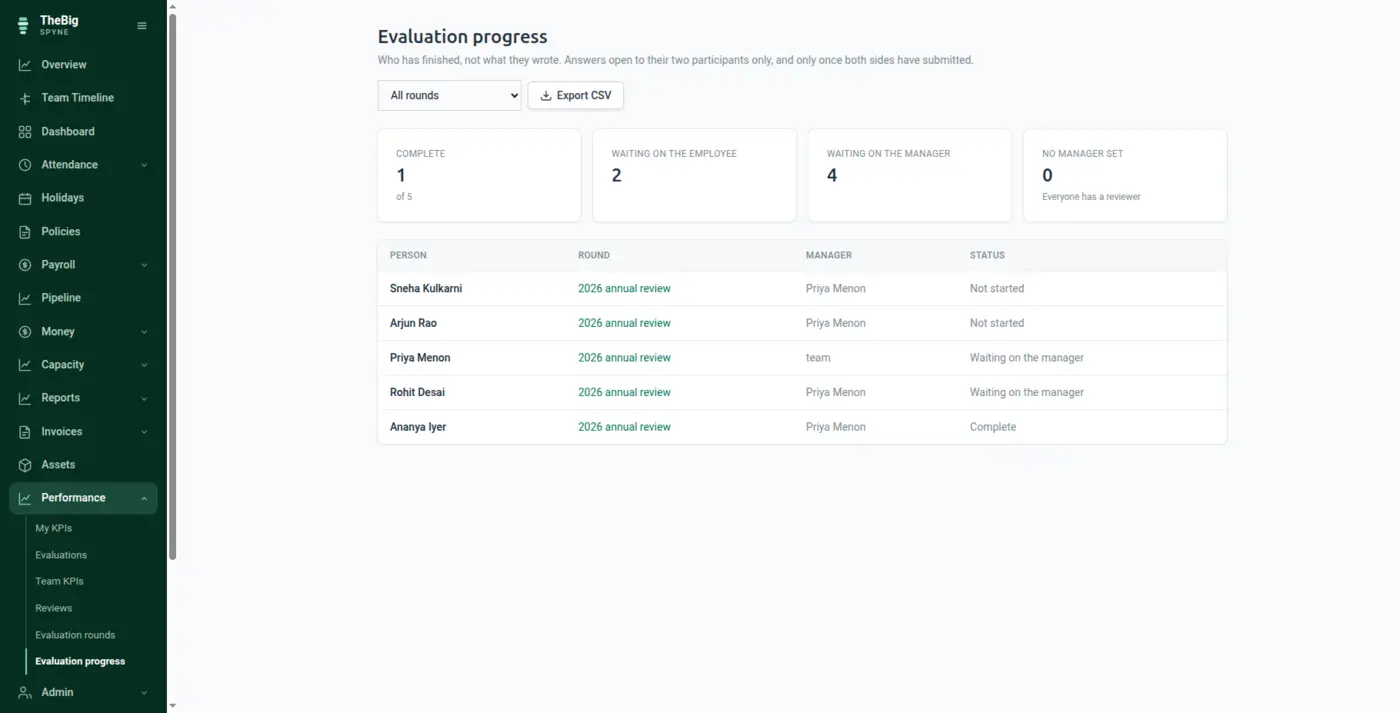
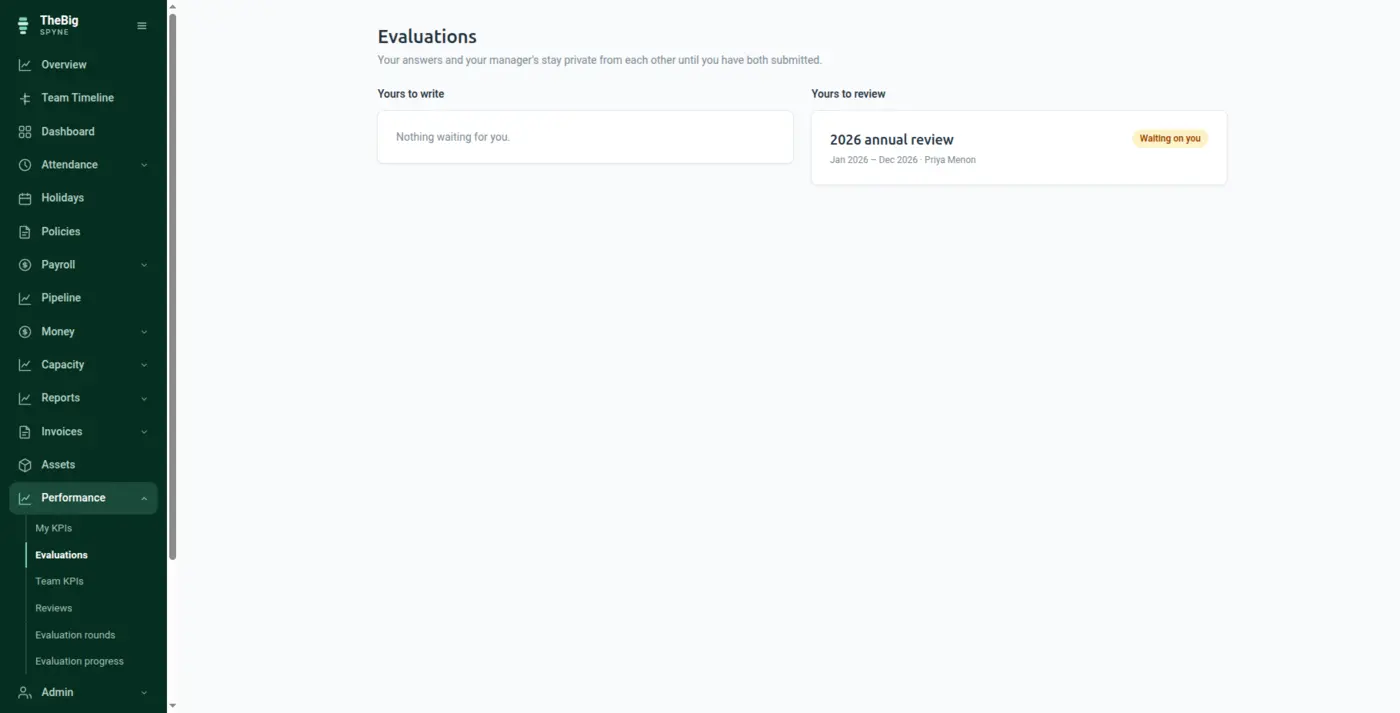
If the manager reads the self-assessment first, they anchor on it. If the employee reads the manager's first, they write to it. Spyne seals both until both are in — which is the only way the second opinion stays independent.
30 days free · no card · your data exports whenever you want it
Self-evaluation forms usually arrive as a shared document, which means whoever writes second is really editing the first. What comes out is one view with two names on it.
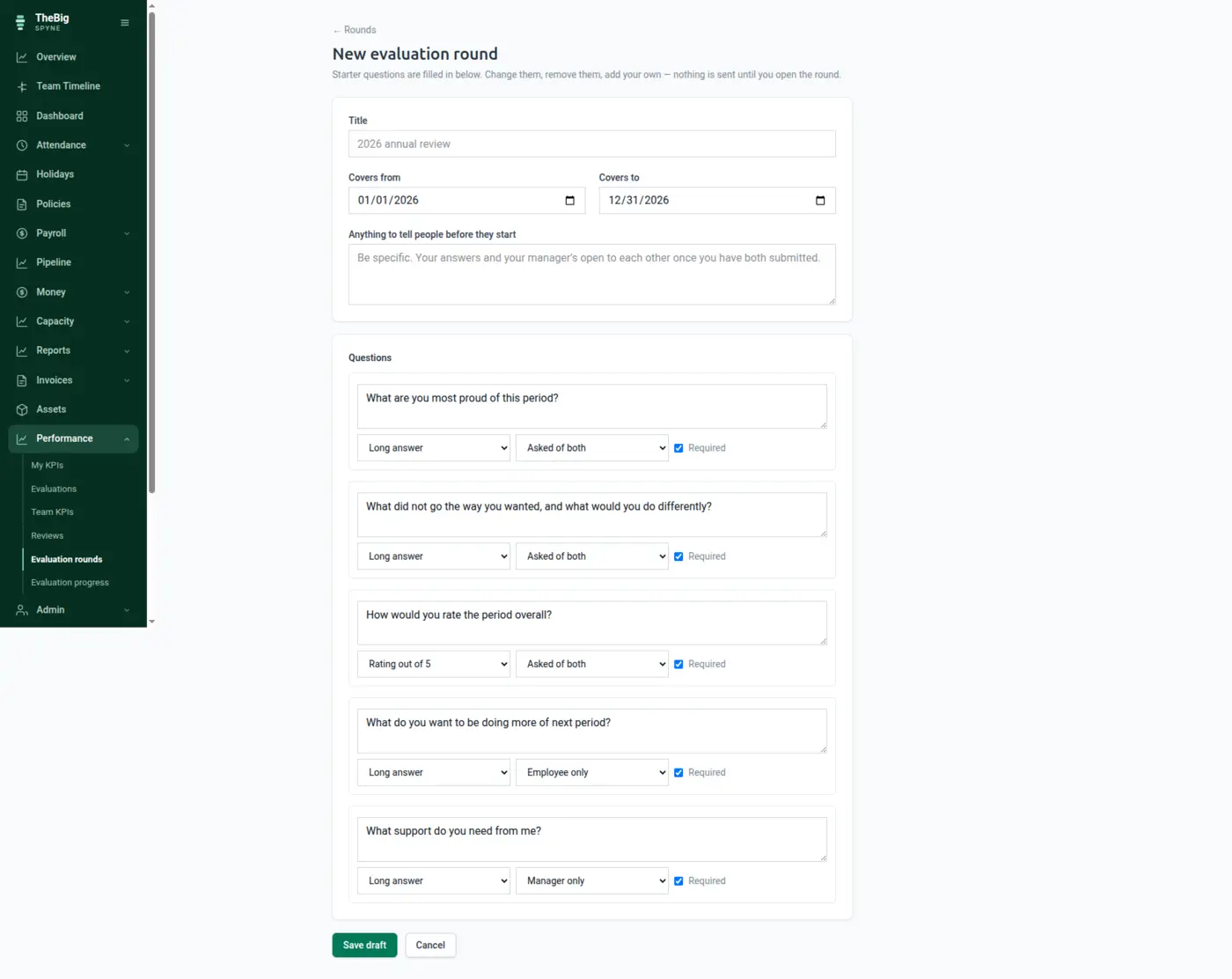
Start from a sensible default set and change them. Long answers, short answers or a rating out of five, and each question can be asked of the employee, the manager, or both.
Choose who is in it and who reviews them. Everybody involved is told, and can save drafts as they go.
The answers open to each other the moment the second side submits — and not a second earlier.
"What support do you need from me?" is a manager's question; asking the employee it produces a confused answer rather than a second opinion. Each question is aimed.
Enforced in the data model, not by asking people not to peek. Even an administrator cannot read a half-finished round — somebody who could read one side could relay it.
Once your side is in, it is what you said. Nobody edits their answer after seeing the other one.
Changing a question people have already answered leaves their answers attached to a question nobody was asked.
After the conversation, the manager records what was agreed — visible to both, so the next review starts from it.
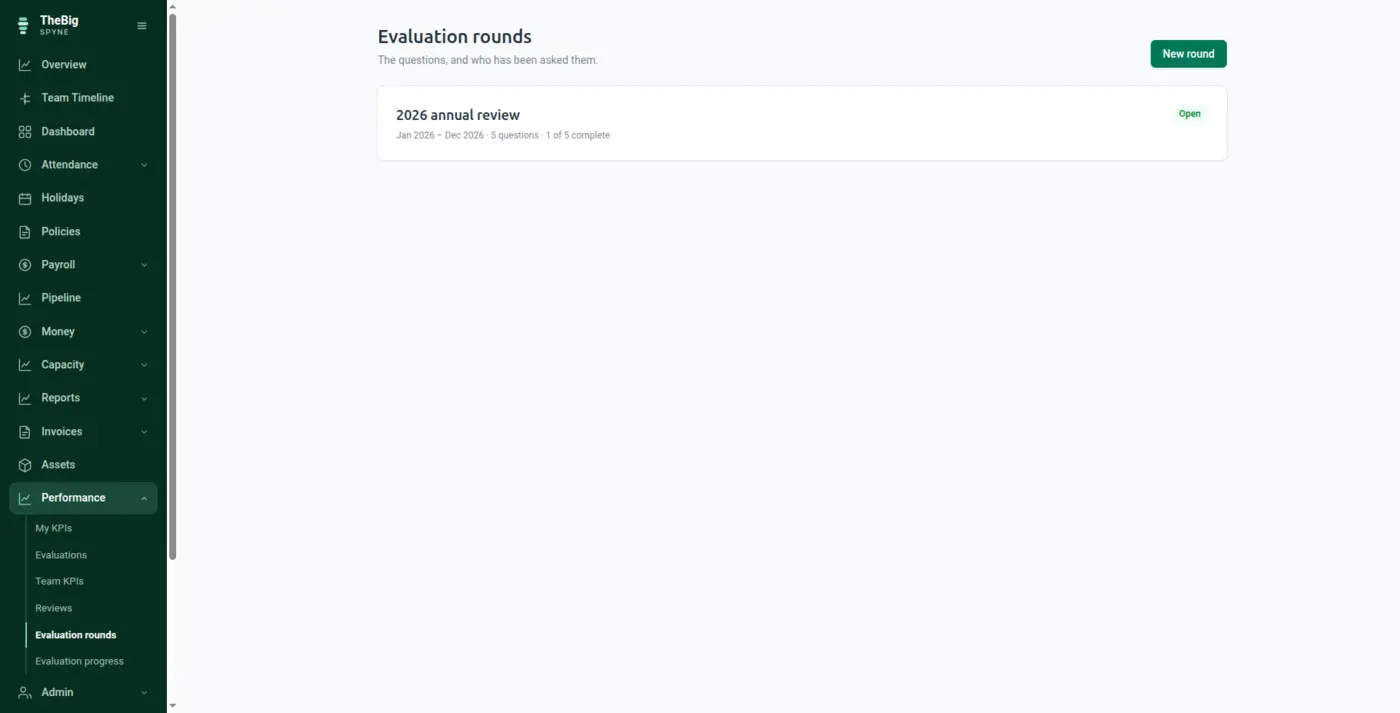
| Question types | Long text, short text, rating out of five |
|---|---|
| Asked of | Employee, manager, or both |
| Visibility | Sealed until both sides submit; an admin can open a round early, and it is recorded |
| After submit | Answers are frozen |
| Export | Completion status only — never the answers |
No. Somebody who could read one side early could relay it, which defeats the rule as thoroughly as reading it directly. An admin can deliberately open a round early — a manager who has left, a deadline that has to move — and that is recorded against their name.
The employee's side stays sealed and both are chased. An admin can open the round so the conversation can happen anyway, and the fact that it was opened early is shown to both.
No — a person cannot be set as their own manager on an evaluation. That would produce one view in two boxes, which is exactly what the design exists to prevent.
It carries completion status only — who has submitted and when — and never the answers. A spreadsheet of what everybody said about themselves is the most sensitive thing this feature could produce, so it is not something Spyne will generate.
These are not separate products. What you record in one is what the next one reads.
Start a trial and generate a full sample company in one click — three months of attendance, payroll, invoices and projects, all joined up. Then delete it and start for real.