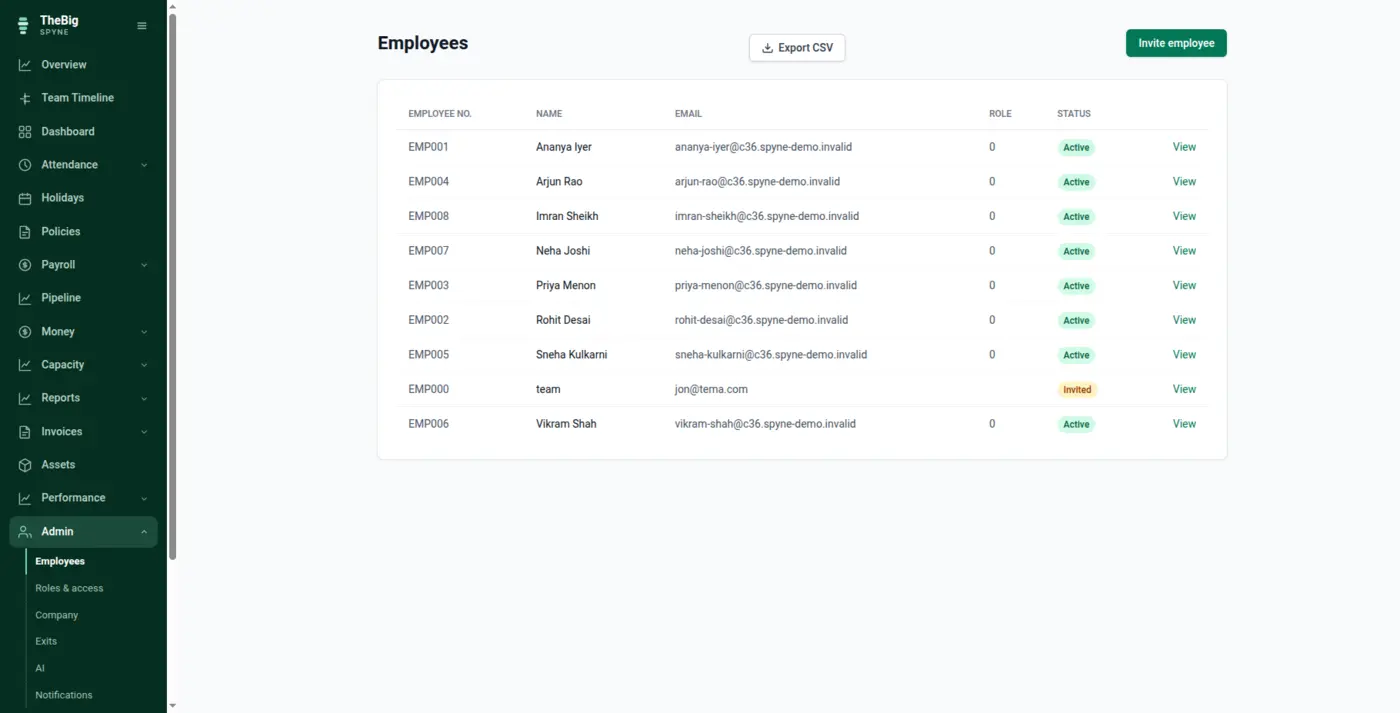
Somebody joins and gets added to five places. They work for two years across three more. They leave, and half of it is never closed — the laptop, the access, the leave encashment nobody can compute. Spyne keeps one record for the whole of that, and the end of it is a checklist rather than a memory test.
30 days free · No card needed · One click fills it with sample data so you can walk the whole flow before entering anything of your own
None of this is a missing feature. Every one of these tools works. The cost is the space between them — and it is paid in re-typing, in arguments, and in questions nobody can answer.
Follow it from the thing that starts it to the thing that finishes it. Watch what carries forward at each step — that hand-off is the whole difference.
Add the person with their role, salary structure, joining date and reporting line, and send the invite. Attendance, leave accrual, payroll and access all start from that one record — there is no second place to add them to, so there is no second place to forget.
Carries forwardRole and permissions, salary structure, leave policy and the holiday calendar all attach at once.
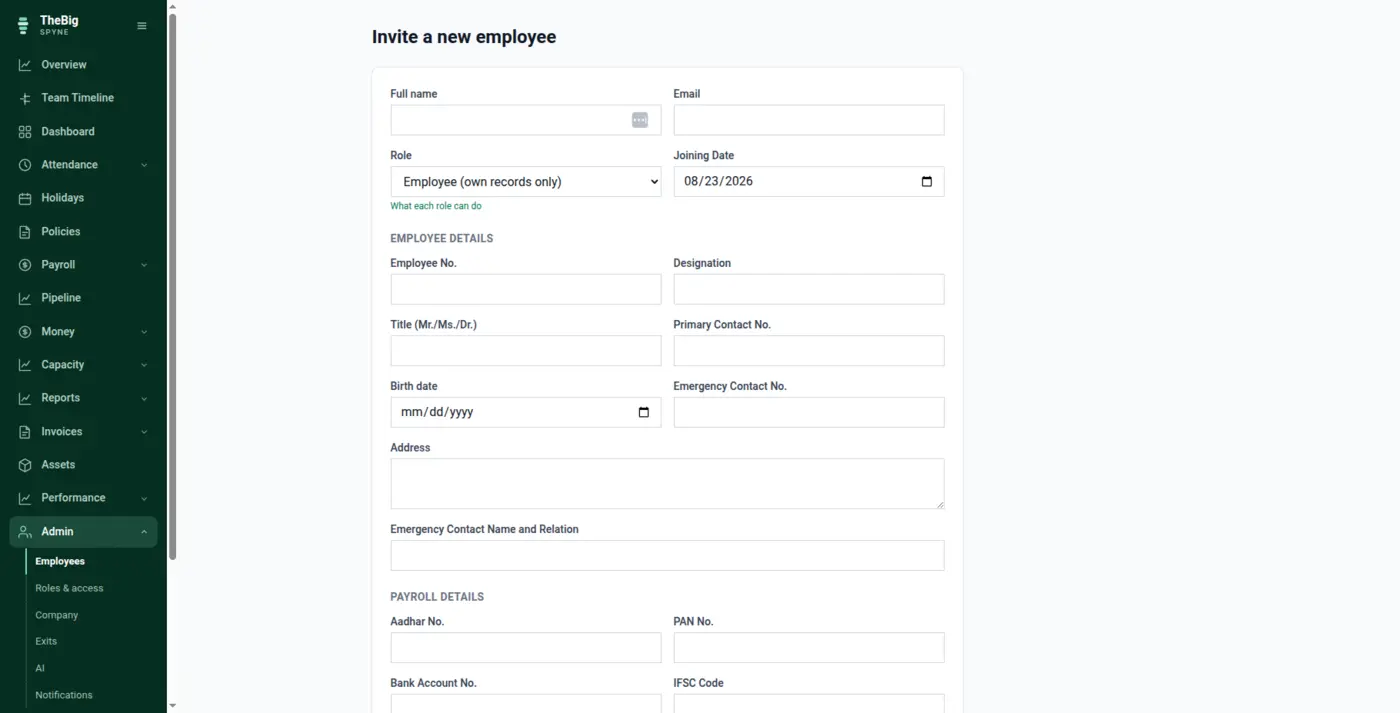
One tap to check in, with the IP captured server-side and location where the person allows it. Late, half day or full day is decided against your own working hours and your own holiday calendar — and any admin correction keeps who changed it, when, why and what it said before.
Carries forwardPresent, late and half days become the paid-days figure payroll uses. Nobody counts anything.
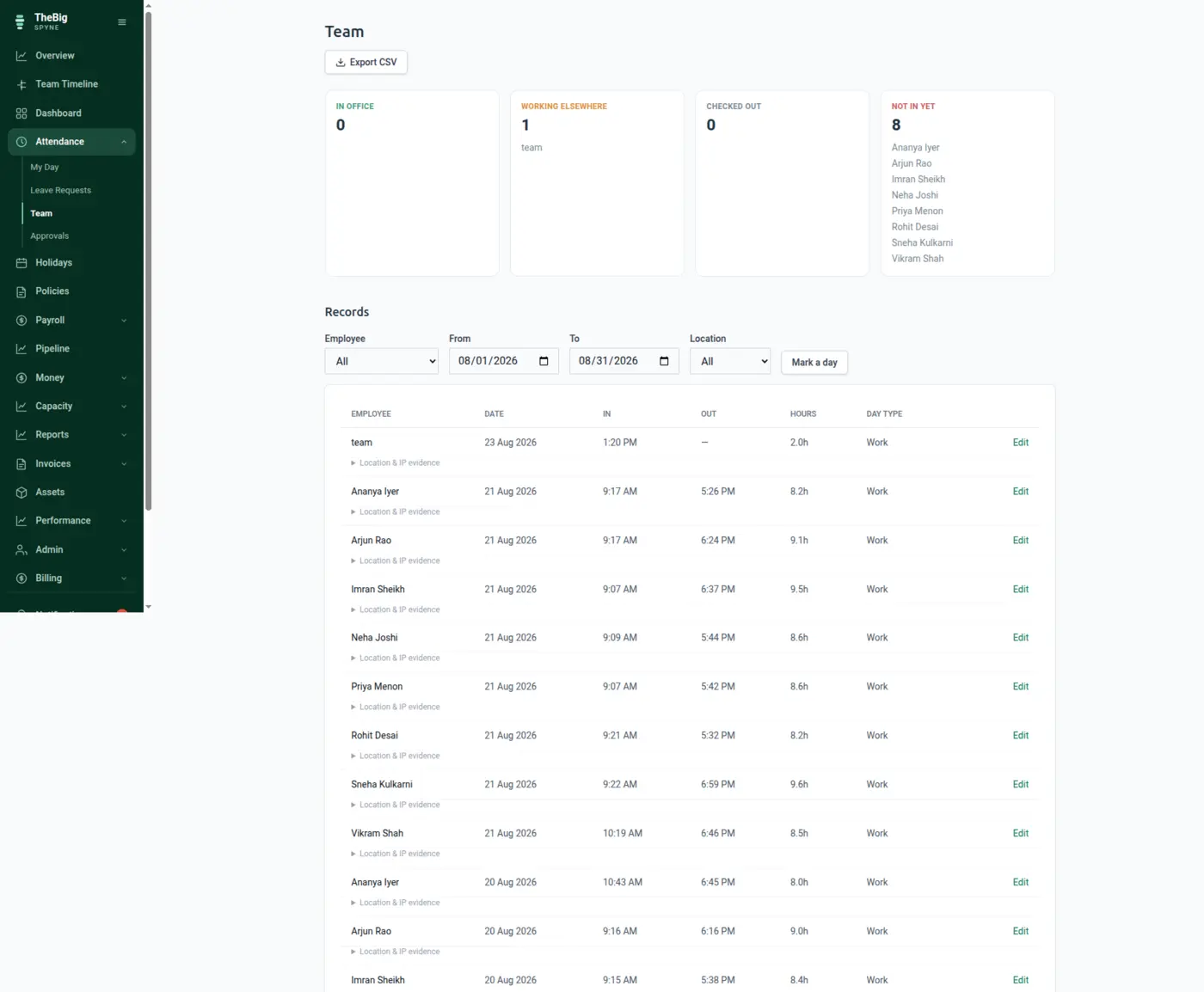
Requests go to the right approver, approved leave lands on the attendance record, and the balance is the sum of an append-only ledger rather than a cell. Ask why it is 6.25 and the answer is a list of accruals, approvals and adjustments with dates on them.
Carries forwardApproved leave becomes attendance, and attendance becomes paid days.
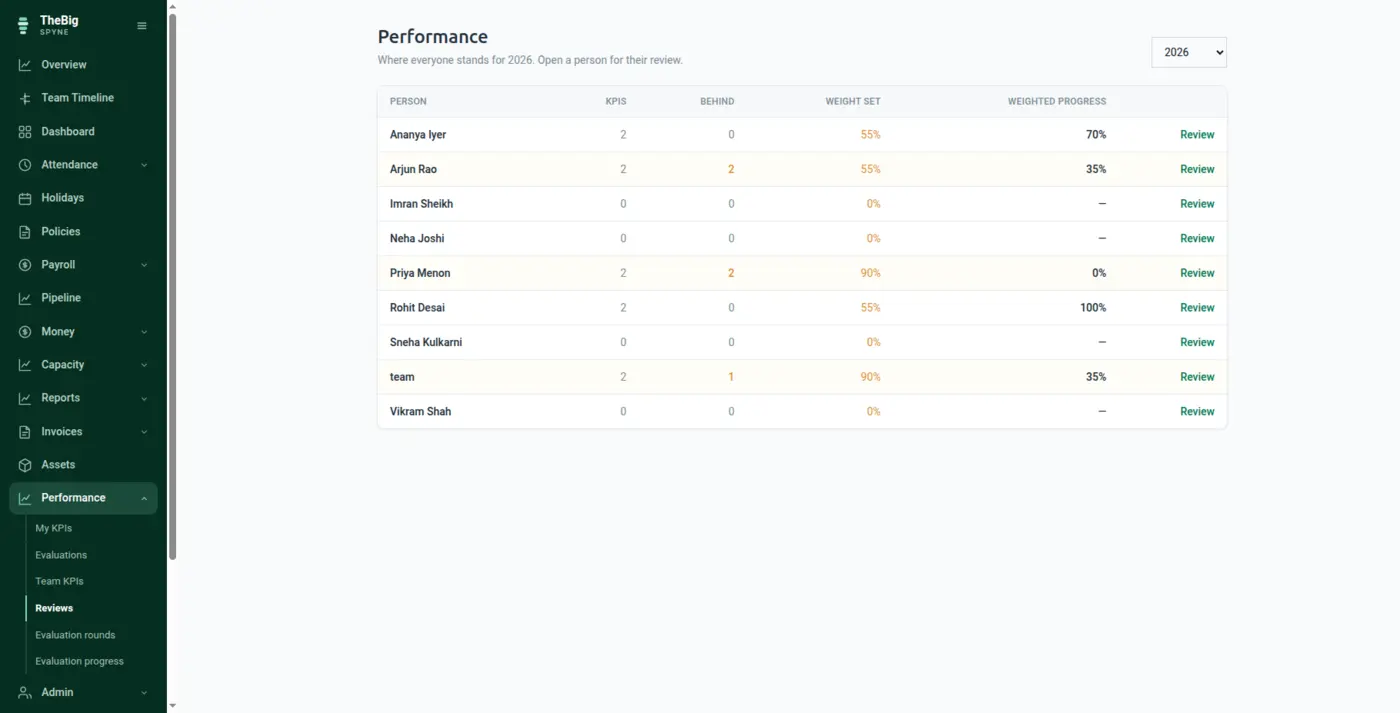
No export, no import, no reconciliation. Attendance decides paid days, your EPF, ESI, professional tax and loan rules apply as rules, and the payslip is frozen the moment it is issued — so a raise next April can never rewrite the March one somebody already downloaded.
Carries forwardThe issued payslip is a snapshot: every figure stored, never recomputed from today's master data.
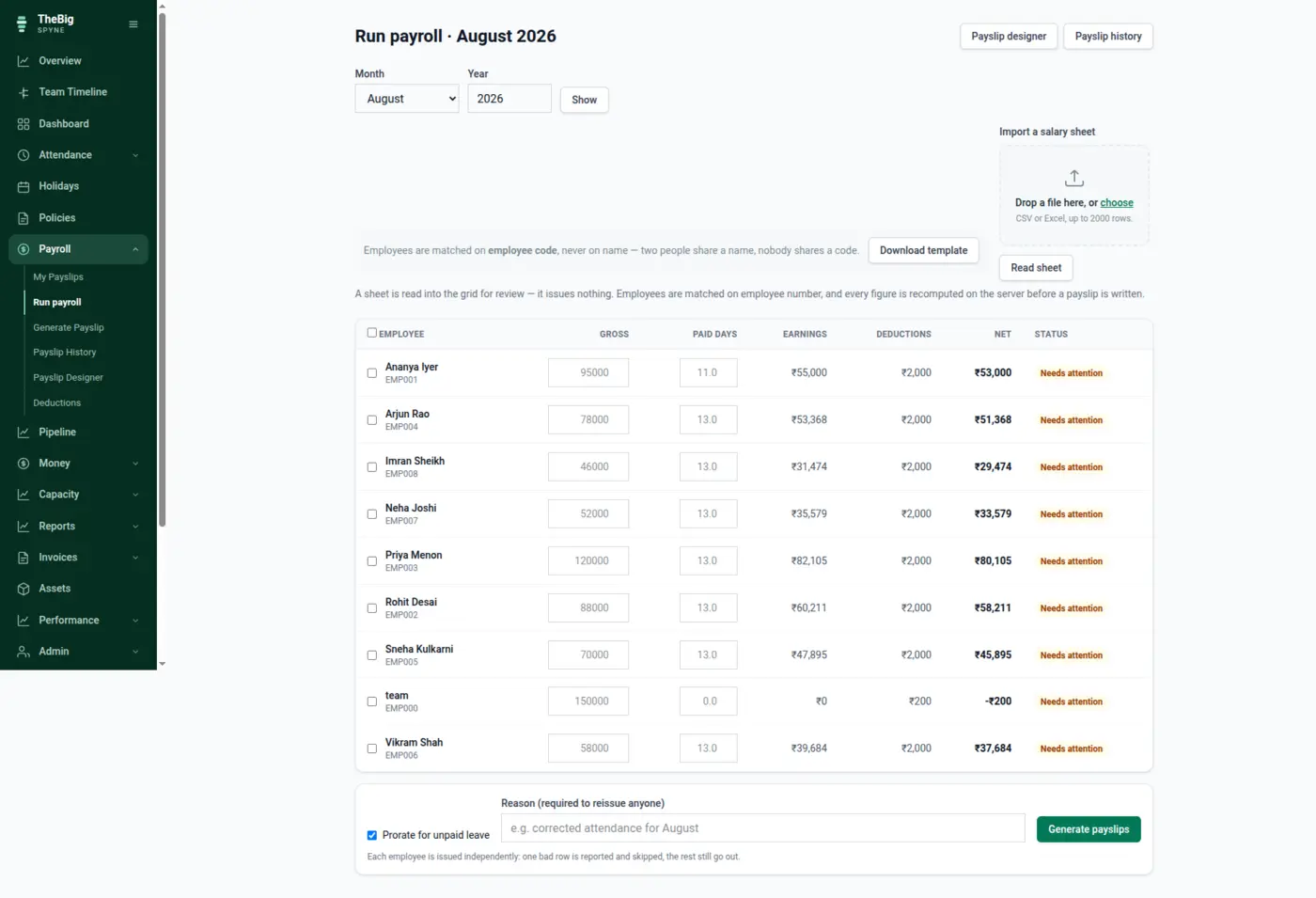
KPIs with the evidence attached, self-evaluation written independently from the manager's, and policies that are published, versioned and confirmed — so "they were never told" has a date on it.
Carries forwardReview history and policy acknowledgements stay on the person's record, including after they leave.
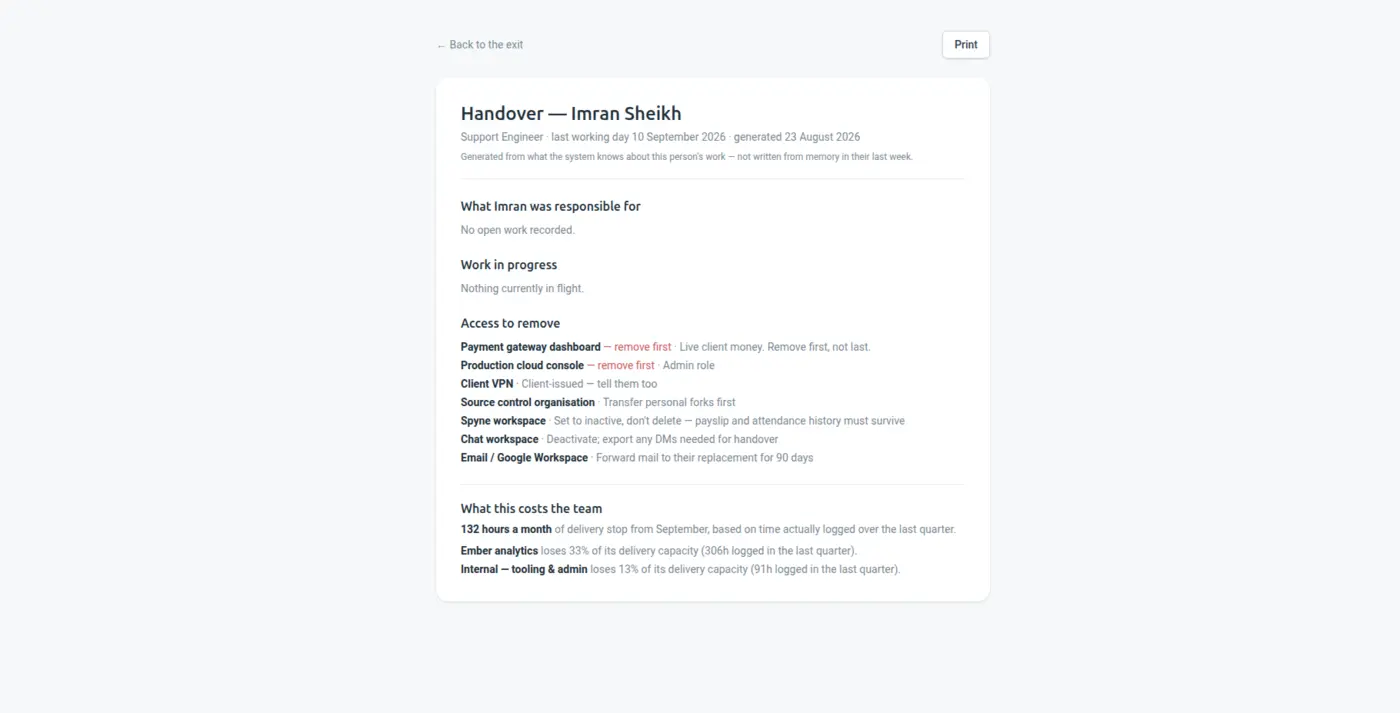
Resignation date, notice period, handover of the work they owned, assets returned, access revoked, final settlement computed from the same attendance and leave ledger as every other month. The exit closes when the list closes.
Carries forwardThe asset register, the leave ledger and payroll all feed the final settlement.
Every step above reads the record the step before it wrote. Nothing is exported, imported, re-keyed or reconciled — which is why the whole thing takes minutes rather than an afternoon.
Every one of these is a separate tool, a separate login and — almost always — a separate per-seat bill. Spyne is one price for the whole company.
| Instead of paying for | You get, on one record |
|---|---|
| The attendance register or biometric export | Check-in and check-out with server-side IP evidence and audited corrections. |
| A leave tracker spreadsheet | Requests, approvals, the holiday calendar and a balance ledger that explains itself. |
| A payroll sheet or a per-payslip service | Payroll computed from attendance, with EPF, ESI and PT as rules and payslips frozen on issue. |
| The asset list nobody updates | Who has the laptop, since when, and whether it came back. |
| Review forms in a documents folder | KPIs, self-evaluation and manager review kept on the employee record. |
| An offboarding checklist in someone's notes | A tracked exit with handover, assets, access and final settlement. |
Paid days are already counted, deductions are already rules, and the run is a review rather than a rebuild. Most months it is one sitting.
Every punch has an IP and a timestamp captured server-side, and every admin edit carries a reason and the value it replaced. The argument becomes short.
Issued payslips are snapshots and salary is effective-dated, so a raise in April changes April onward and leaves March exactly as it was sent.
Assets, access and handover are items on the exit rather than things somebody hopes to remember in the last week.
Named, in case you want the detail — but you never have to assemble them yourself.
Yes. EPF, ESI and professional tax are configured as rules with your own caps, thresholds and state slabs, and loan or advance deductions run alongside them. Payslip layout and branding are yours to set. Figures are computed server-side from attendance, never from anything the browser posted.
Yes, and every correction is appended rather than overwritten: who changed it, when, the reason they gave and what the record said before. Attendance gets disputed, and an edit without a trail is worse than no edit at all.
Nothing. Salary is effective-dated — editing a gross inserts a new row rather than updating the old one — and an issued payslip stores every figure on itself. A raise in April cannot rewrite the March payslip an employee already has in their inbox.
Each person gets their own dashboard: their attendance, their leave balance with the working behind it, their payslips to download and their KPIs. That alone removes most of the questions that would otherwise arrive as messages.
No, and most teams should not. Start with attendance and leave for a month, add payroll once you trust the days, and leave reviews and exits until the people side is settled. Every feature is in both plans, so nothing costs extra when you turn it on.
Which is the reason the margin at the end of one flow can be computed from the payroll at the end of another.
CRM → invoice → paid
The enquiry goes into a CRM. The quote goes into a spreadsheet. The invoice goes into a billing tool. The margin goes nowhere at all, because joining those three is a weekend nobody has....
See the flow →Plan → hours → cost → margin
Every profitability tool asks you to maintain a rate card. It is wrong within a quarter, and then the margins are wrong too. Spyne has both ends of the chain already — the hours and the...
See the flow →Six tools → one
What a small business is really paying for when it runs on a stack of separate tools, and what a single record removes.
Read the argument →Thirty days free, no card. One click fills the trial with a realistic sample company so you can see the whole chain with data in it before entering any of your own.