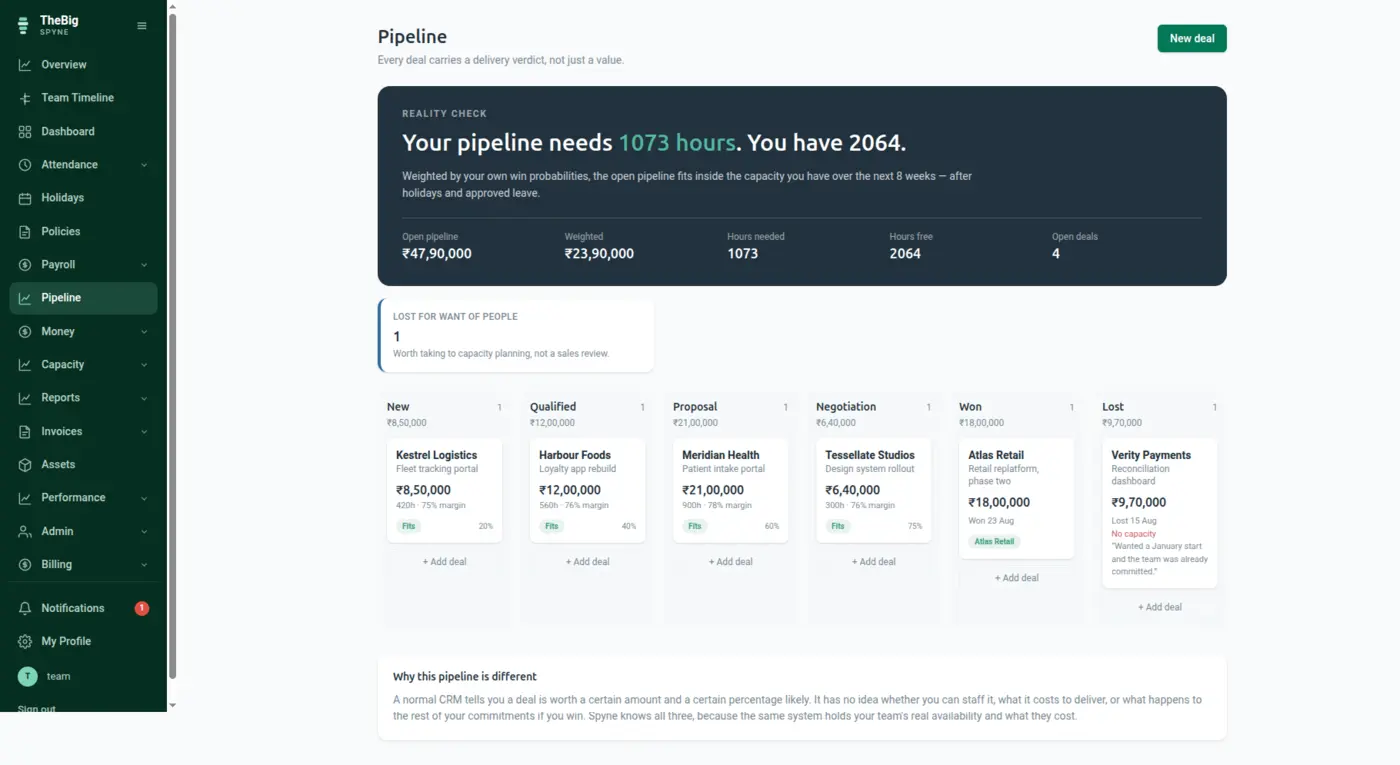
The enquiry goes into a CRM. The quote goes into a spreadsheet. The invoice goes into a billing tool. The margin goes nowhere at all, because joining those three is a weekend nobody has. In Spyne it is one record that moves forward on its own.
30 days free · No card needed · One click fills it with sample data so you can walk the whole flow before entering anything of your own
None of this is a missing feature. Every one of these tools works. The cost is the space between them — and it is paid in re-typing, in arguments, and in questions nobody can answer.
Follow it from the thing that starts it to the thing that finishes it. Watch what carries forward at each step — that hand-off is the whole difference.
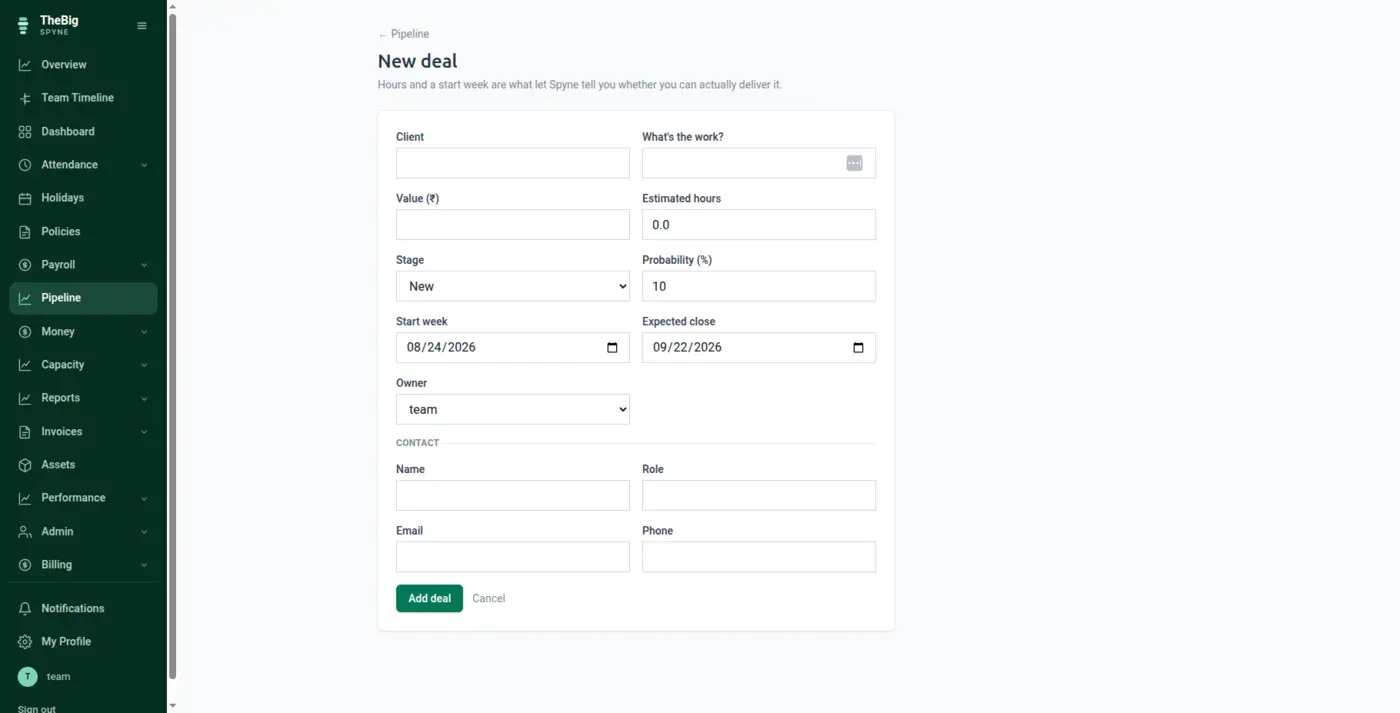
Log the deal against a client record — value, stage, owner, expected close. The client is created once, here, with the address and GSTIN the invoice will need three months from now.
Carries forwardClient, GSTIN, deal value and owner carry forward. Nothing is re-typed later.
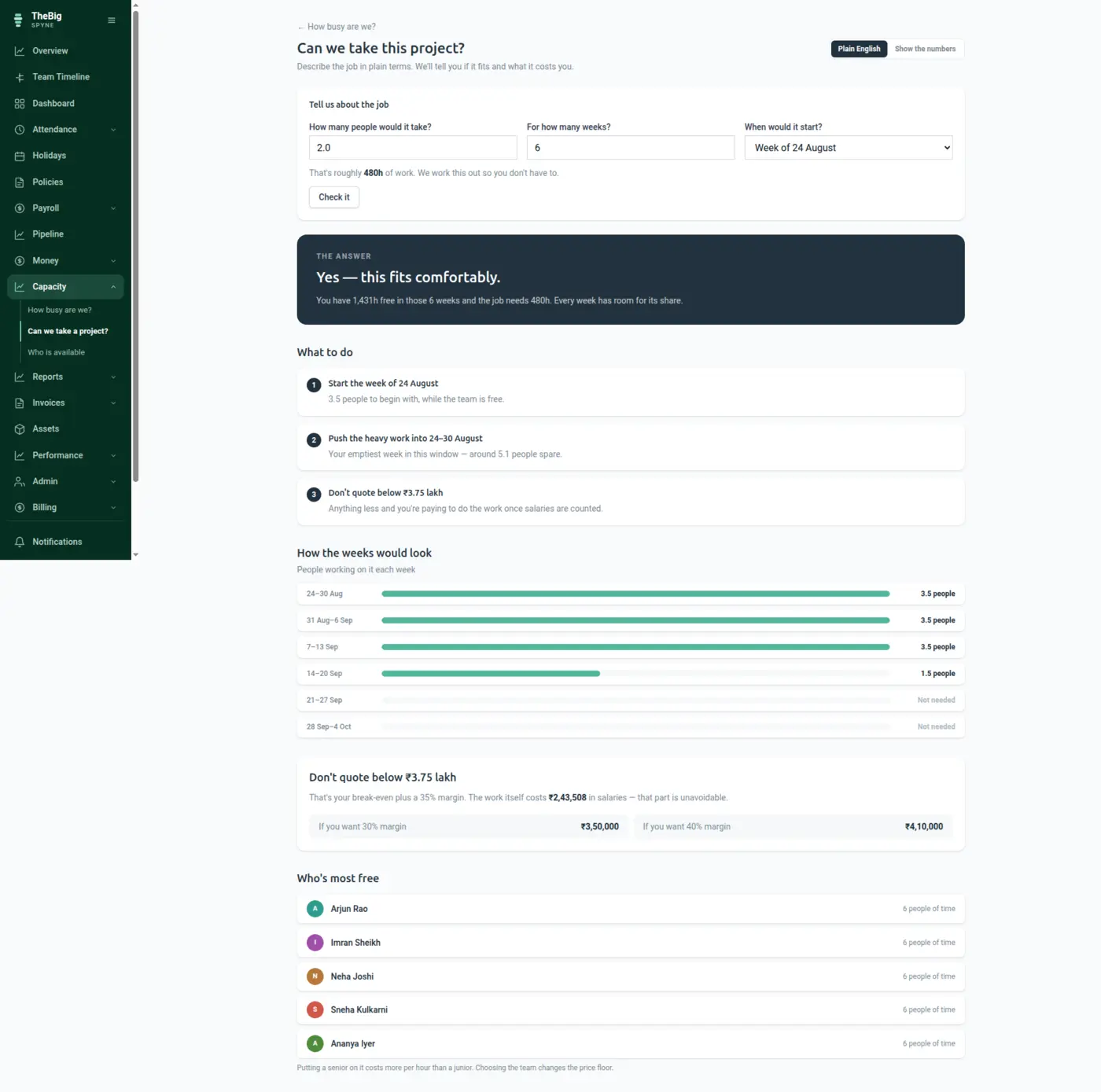
Capacity shows the hours the team genuinely has free after leave, holidays and what is already committed — and what those hours cost in real salary. That cost is the floor under your price, and it comes from payroll rather than from a rate card somebody set two years ago.
Carries forwardFree hours and the real hourly cost, computed from the same payroll that pays the team.
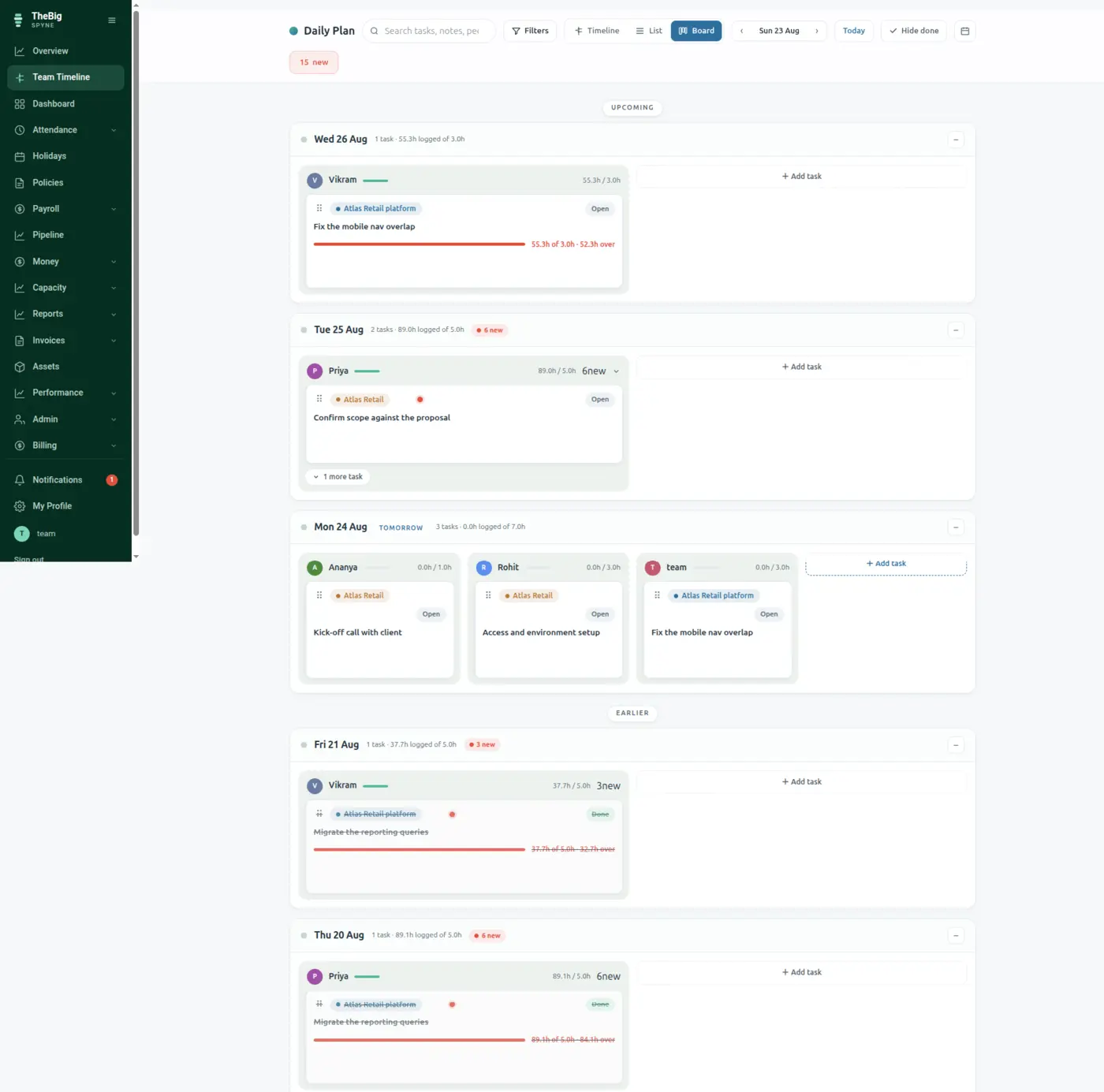
The deal becomes work on the timeline. Hours logged against it are logged against the client's project — which is the only reason the margin at the end of this page can exist at all.
Carries forwardEvery logged hour is attached to the project, and the project to the client.
Pick the client — the address, GSTIN and place of supply are already there, so CGST/SGST or IGST is decided for you rather than guessed. Numbering is sequential and gapless because the system issues it, not a shared sheet.
Carries forwardClient details, tax treatment and the next number in the series. You type the line items.
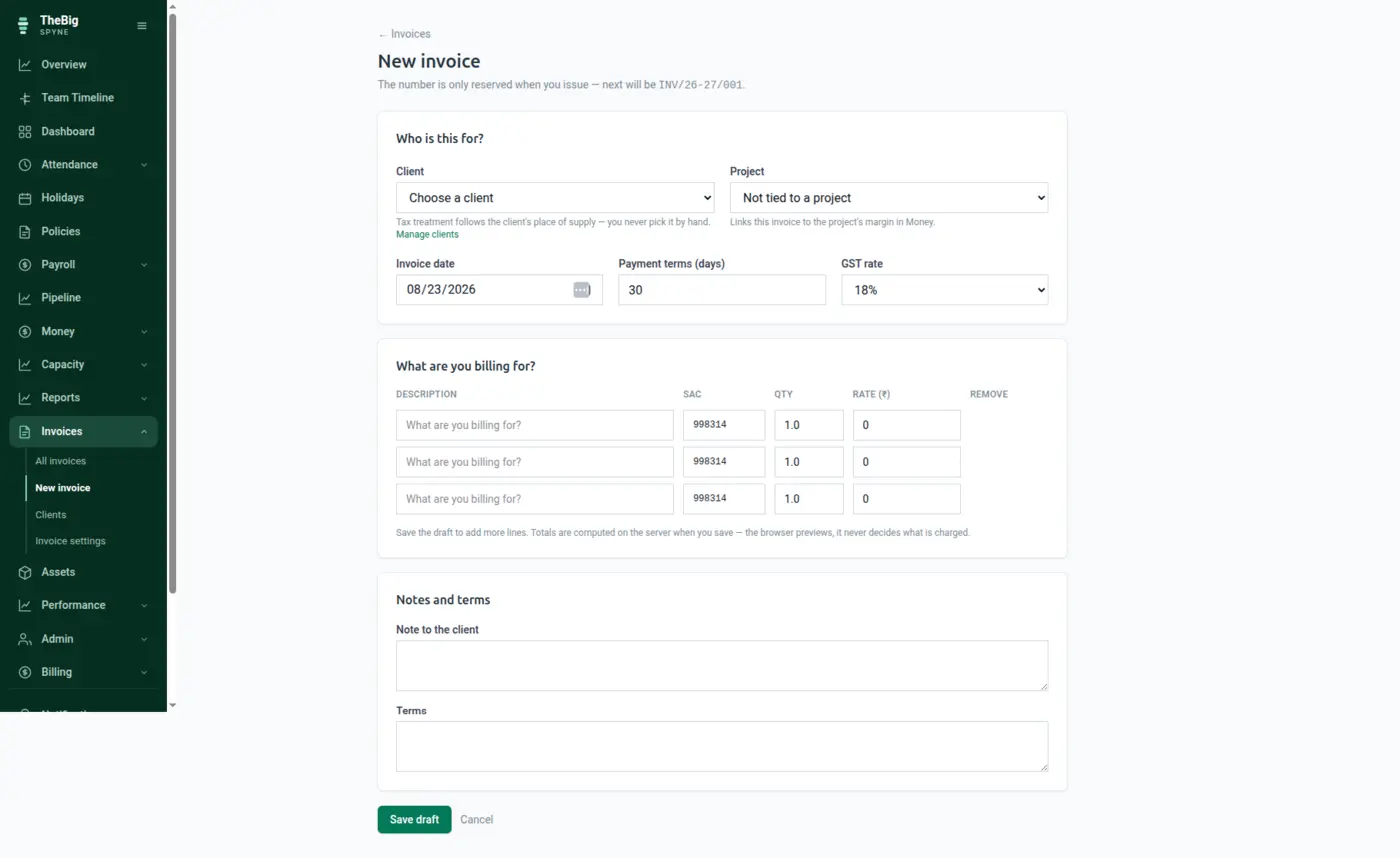
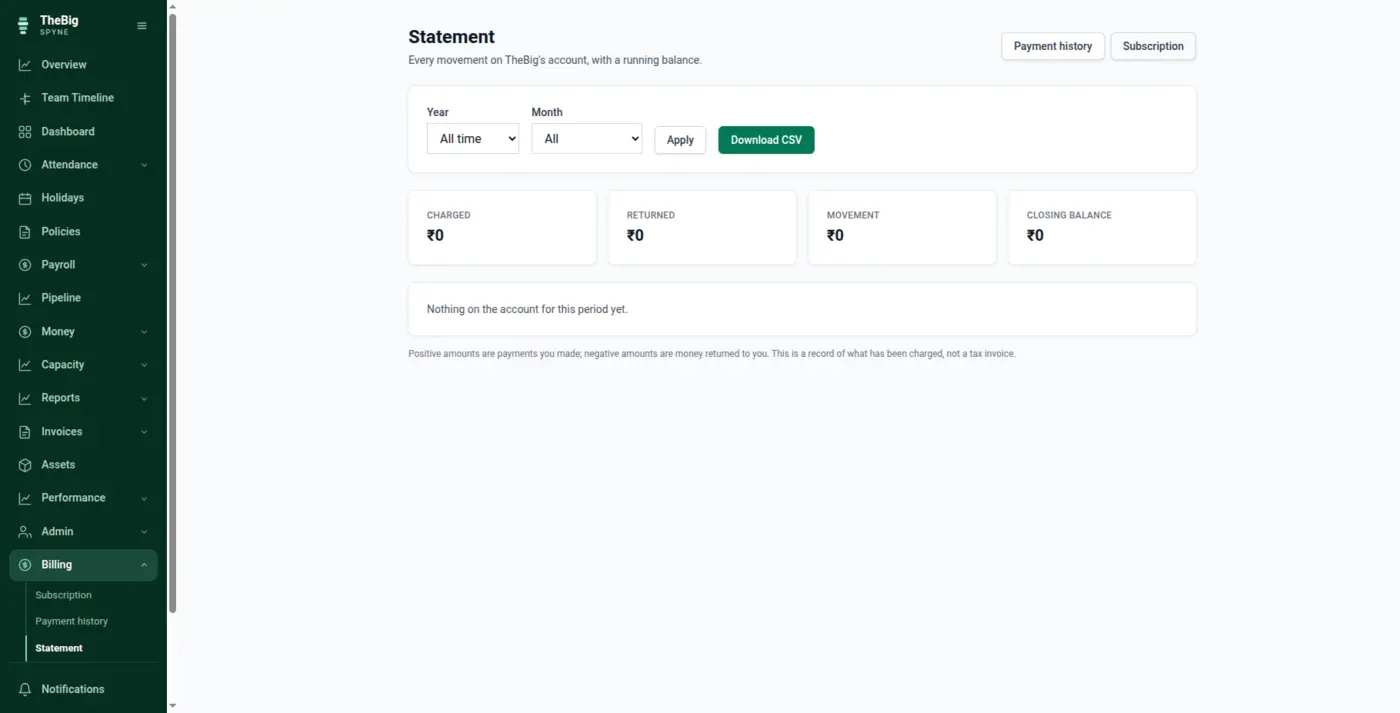
Payments are recorded against the invoice, so sent, part-paid and overdue are states rather than a memory. A client statement is a click, not an afternoon of cross-referencing.
Carries forwardPayments land on the invoice, the invoice on the client, the client on the deal.
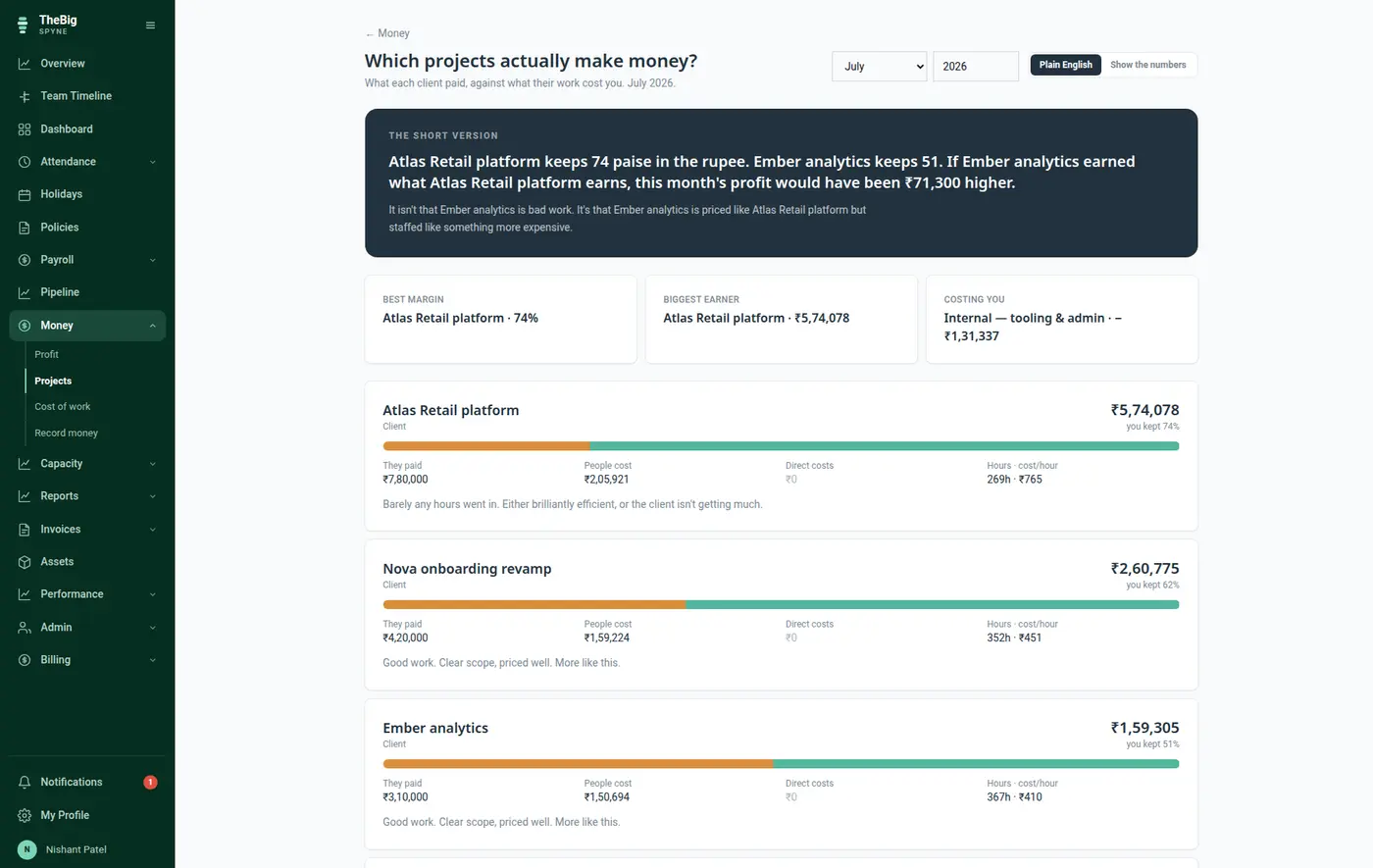
Revenue comes from the invoices you issued. Cost comes from the payslips you actually paid, divided by the hours logged to the project. No rate card, no allocation spreadsheet, no guess — and hours nobody logged are reported as unlogged rather than quietly spread to make the margin look better.
Carries forwardThe whole chain closes: the deal you won is now a number you can price the next one from.
Every step above reads the record the step before it wrote. Nothing is exported, imported, re-keyed or reconciled — which is why the whole thing takes minutes rather than an afternoon.
Every one of these is a separate tool, a separate login and — almost always — a separate per-seat bill. Spyne is one price for the whole company.
| Instead of paying for | You get, on one record |
|---|---|
| A CRM for the pipeline | Deals, stages and clients live beside the invoices they become. |
| An invoicing or billing tool | GST invoices, numbering, payments and client statements. |
| A quoting spreadsheet | Capacity and real hourly cost, from payroll and the leave calendar. |
| A project tracker | Daily plans with estimates and logged hours against the client's project. |
| The profitability spreadsheet nobody maintains | Margins computed from issued invoices and issued payslips. |
Address, GSTIN and place of supply are captured when the deal is created and reused by every invoice after it. The most common invoice error in India is a re-typed GSTIN; this removes the re-typing.
The floor under a price is what the hours cost. That figure updates itself when somebody gets a raise, because it comes from payroll.
Outstanding by client, overdue by age, paid this month — from the invoices themselves rather than a sheet somebody updates on Fridays.
Each finished project leaves behind estimated hours, actual hours and a real margin. That is the only honest input to the next quote.
Named, in case you want the detail — but you never have to assemble them yourself.
It is a pipeline, not a marketing automation suite. Deals, stages, values, owners, expected close dates and client records — the part a five-to-fifty person company actually uses. If you need lead scoring and drip campaigns, keep your CRM and use Spyne from the won deal onwards.
Yes. Place of supply decides CGST and SGST against IGST, invoice numbering is sequential and gapless, and your GSTIN, terms and branding are set once in invoice settings. Invoices download as PDF and every list exports to CSV for your accountant.
Clients import from CSV or Excel with a downloadable template, and the import previews what it will do before writing anything. Most teams bring clients across and start invoicing forward rather than re-creating history.
From the payslips you issued and the hours logged against the project. Each person's real pay for the month, less the share covering leave, divided across the projects they logged time to. No rate card is maintained, so a raise changes the margins on its own.
You get an honest partial picture and a number telling you how partial. Unlogged hours are reported as unlogged rather than spread across projects — which is exactly what makes other tools' margins look better than they are.
Which is the reason the margin at the end of one flow can be computed from the payroll at the end of another.
Joining → working → leaving
Somebody joins and gets added to five places. They work for two years across three more. They leave, and half of it is never closed — the laptop, the access, the leave encashment nobody...
See the flow →Plan → hours → cost → margin
Every profitability tool asks you to maintain a rate card. It is wrong within a quarter, and then the margins are wrong too. Spyne has both ends of the chain already — the hours and the...
See the flow →Six tools → one
What a small business is really paying for when it runs on a stack of separate tools, and what a single record removes.
Read the argument →Thirty days free, no card. One click fills the trial with a realistic sample company so you can see the whole chain with data in it before entering any of your own.