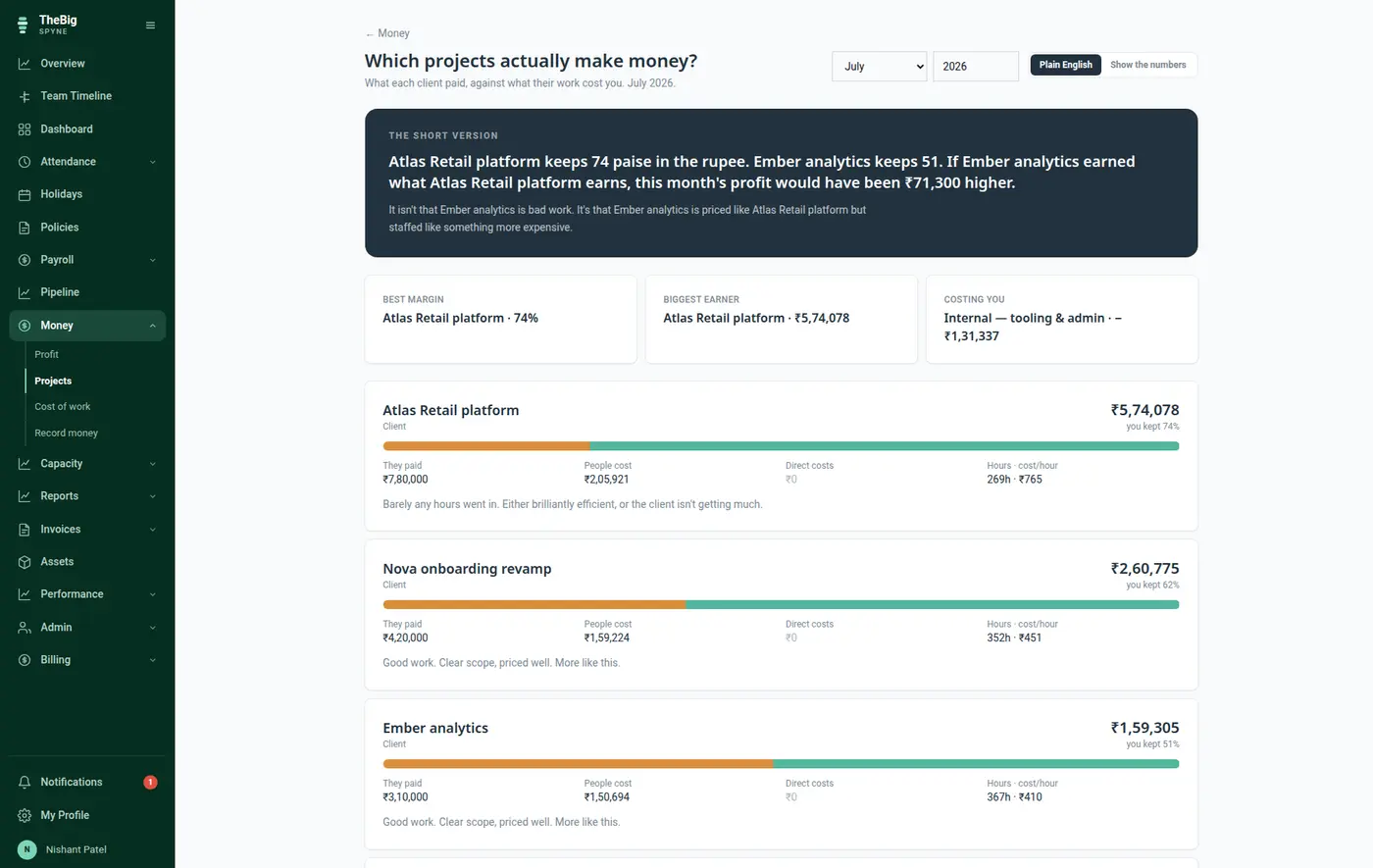
For a services business the biggest cost is people, and almost no tool connects it to the work. Spyne takes what each person was really paid, sets aside the part covering leave, and gives each project the share matching the hours logged to it.
30 days free · no card · your data exports whenever you want it
Project profitability is usually guessed from a rate card. The rate card was set two years ago, does not know about the raise in April, and quietly makes every project look better than it was.
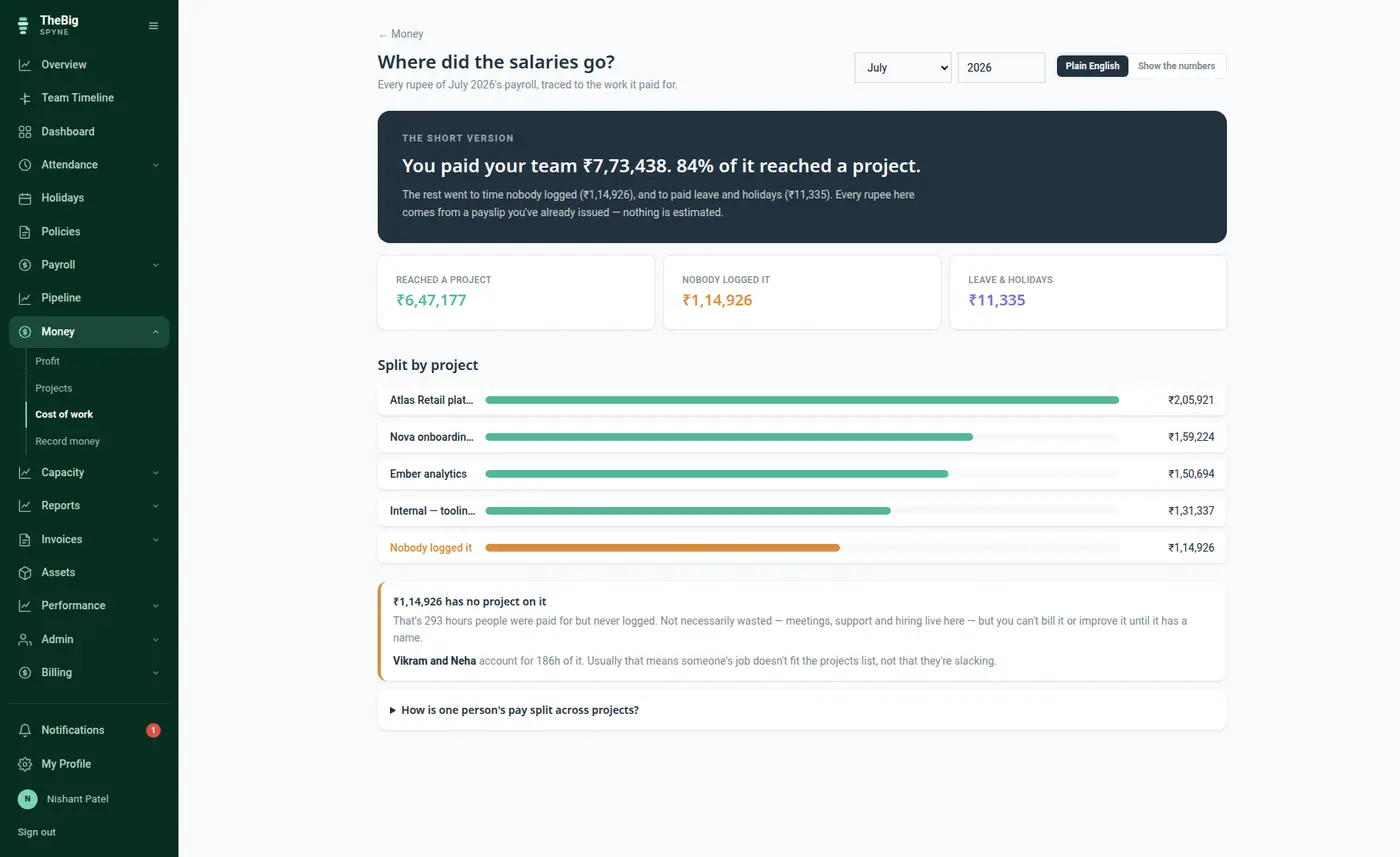
Not a figure anybody types. The month's issued payslips are the cost, including the employer's own PF and gratuity accrual.
The share of the month's pay covering leave and holidays is set aside first — no project can claim it.
Each project gets the share matching the hours logged against it. What nobody logged is reported as unlogged, not spread around.
The screen that answers where the salaries went: per person, per project, with the hourly figure it worked out to and the hours nobody attached to anything.
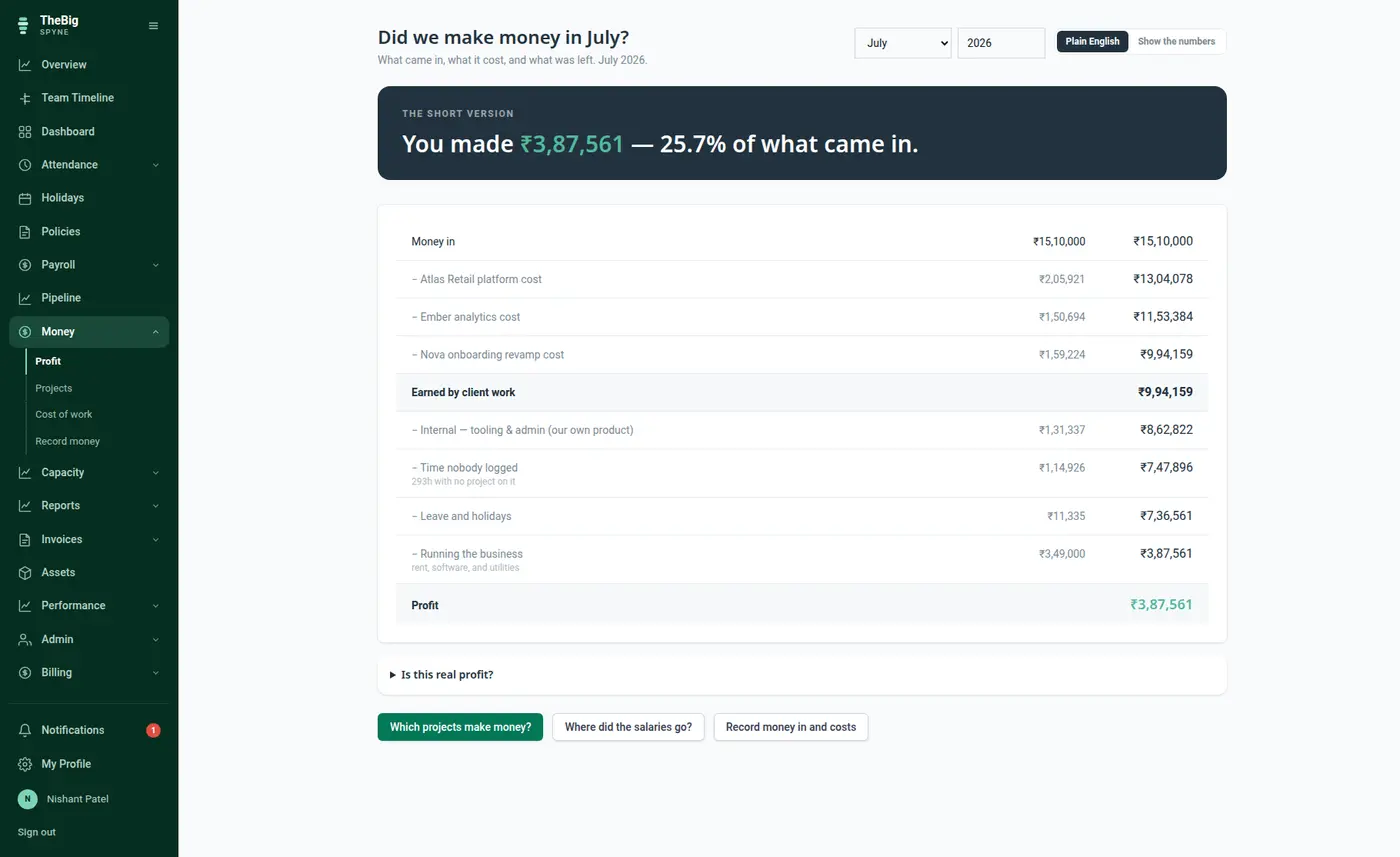
Revenue, then the cost of the people, then everything else, then what is left. Payroll comes from the payslips rather than from a figure somebody typed, which is why the profit line is arithmetic rather than an estimate.
Every tool that does this badly spreads unlogged hours across the projects, which makes all of them look cheaper than they are. Spyne reports it separately, and says who it belongs to.
Because the cost is read from payslips, a raise, an unpaid day or a new joiner changes the margins automatically. Nobody maintains a rate card.
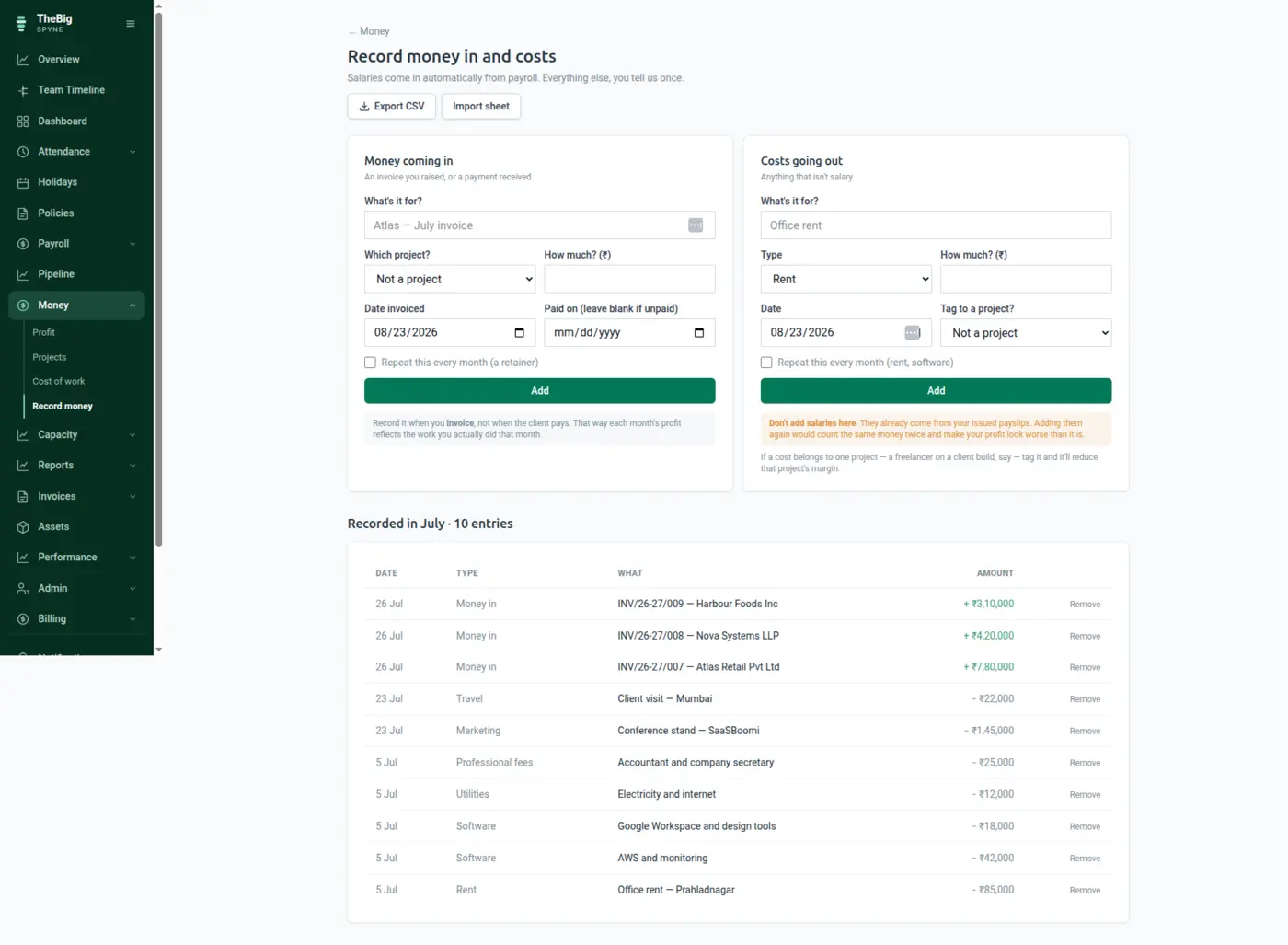
Issuing an invoice records the income. The revenue line in the P&L and the invoice list cannot disagree, because they are the same event.
Time on internal projects is a real cost with no revenue against it, and it is shown that way rather than quietly excluded.
| Payroll basis | Issued payslips plus employer PF and gratuity accrual |
|---|---|
| Allocation | By logged hours; unlogged time reported separately, never spread |
| Cost categories | Rent, software, utilities, professional fees, contractor, marketing, travel, other |
| Revenue | Recorded automatically when an invoice is issued |
| Precision | Integer paise throughout |
No — and you should not. Payroll is taken from the issued payslips, so entering it again as a cost entry would double the largest number on the screen.
They are reported as unlogged, with the people they belong to named. Spreading them across projects is what makes every project look cheaper than it is, so Spyne refuses to do it.
The allocated portion is exactly as accurate as the logging; the rest is shown as unlogged rather than estimated. You get an honest partial picture instead of a confident wrong one, and the unlogged figure tells you how much to trust it.
Yes. The cost of a person is what they cost the company — their earnings plus the employer's PF contribution and gratuity accrual — not what lands in their account.
These are not separate products. What you record in one is what the next one reads.
Start a trial and generate a full sample company in one click — three months of attendance, payroll, invoices and projects, all joined up. Then delete it and start for real.