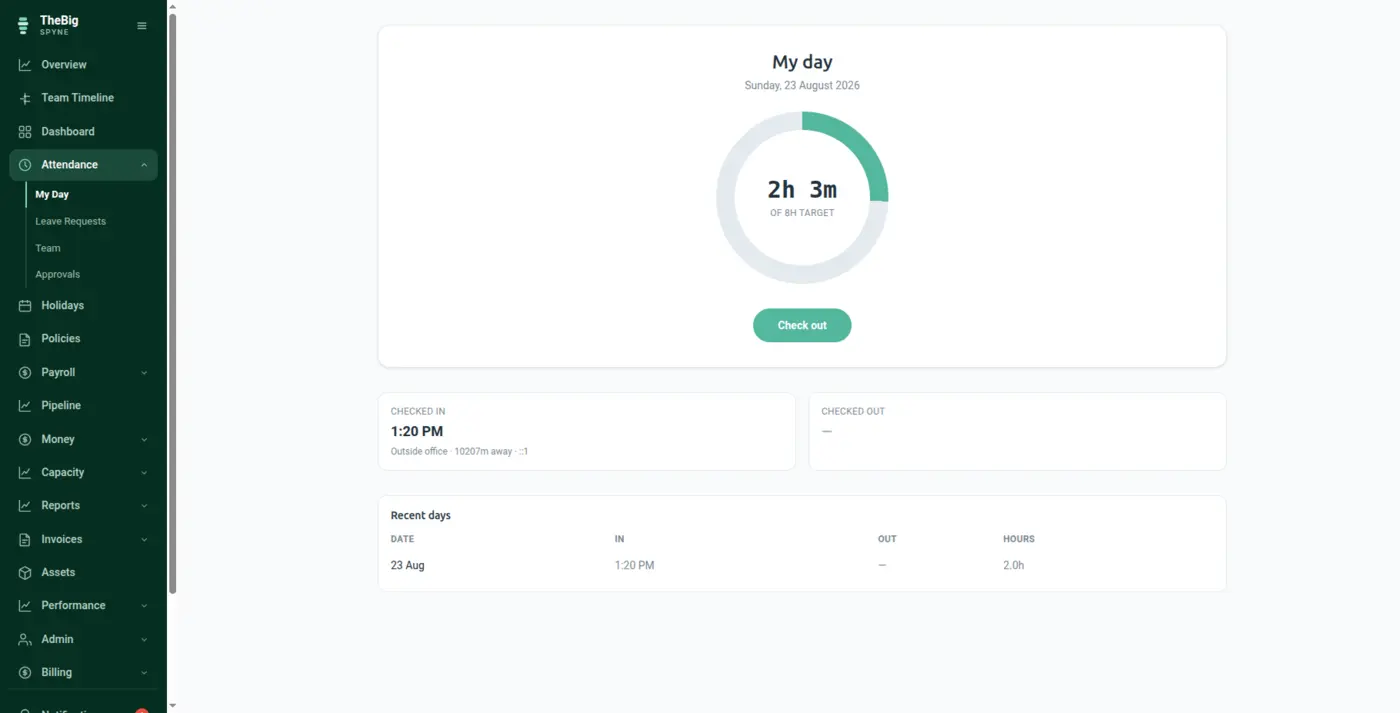
One tap in, one tap out. Spyne records where and how each punch happened, works out the day against your own hours, and hands the result straight to payroll — so nobody retypes a timesheet into a spreadsheet at month end.
30 days free · no card · your data exports whenever you want it
Most small companies run attendance on a WhatsApp group and a spreadsheet. It works until somebody disputes a deduction — and then there is nothing to look at, because the record was typed by the person being asked about it.
One tap from a phone or a laptop. The browser offers location; the IP is read from the request on the server, not from anything the browser claims.
Late, half day, full day, holiday, leave or absent — decided against your working hours and your holiday calendar, not a default somebody else chose.
Paid days come straight off the attendance record. No export, no import, no month-end reconciliation between two systems.
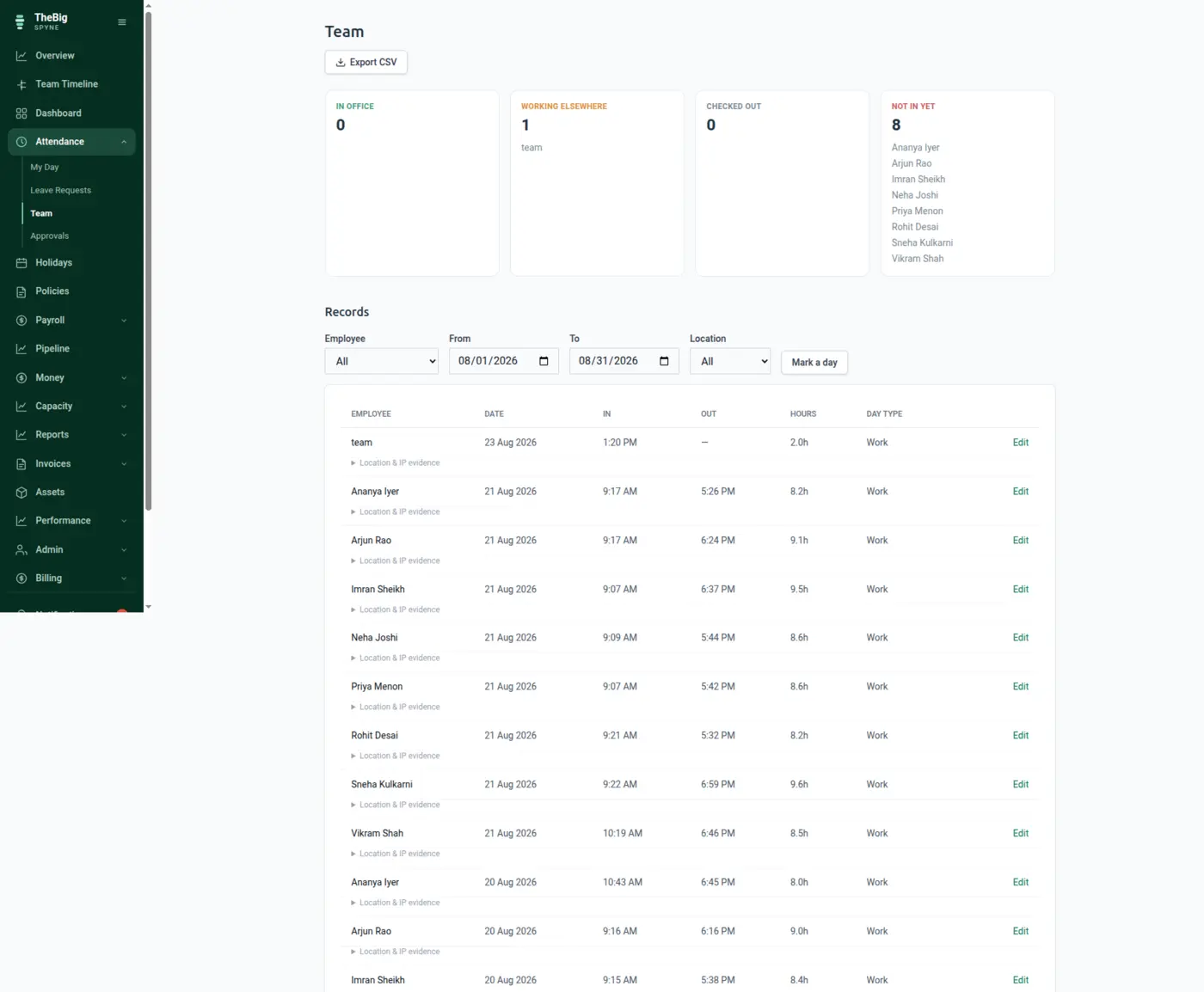
The team board answers the question a manager actually asks at 10am, without asking anybody. In the office, working elsewhere, checked out, not in yet — by name.
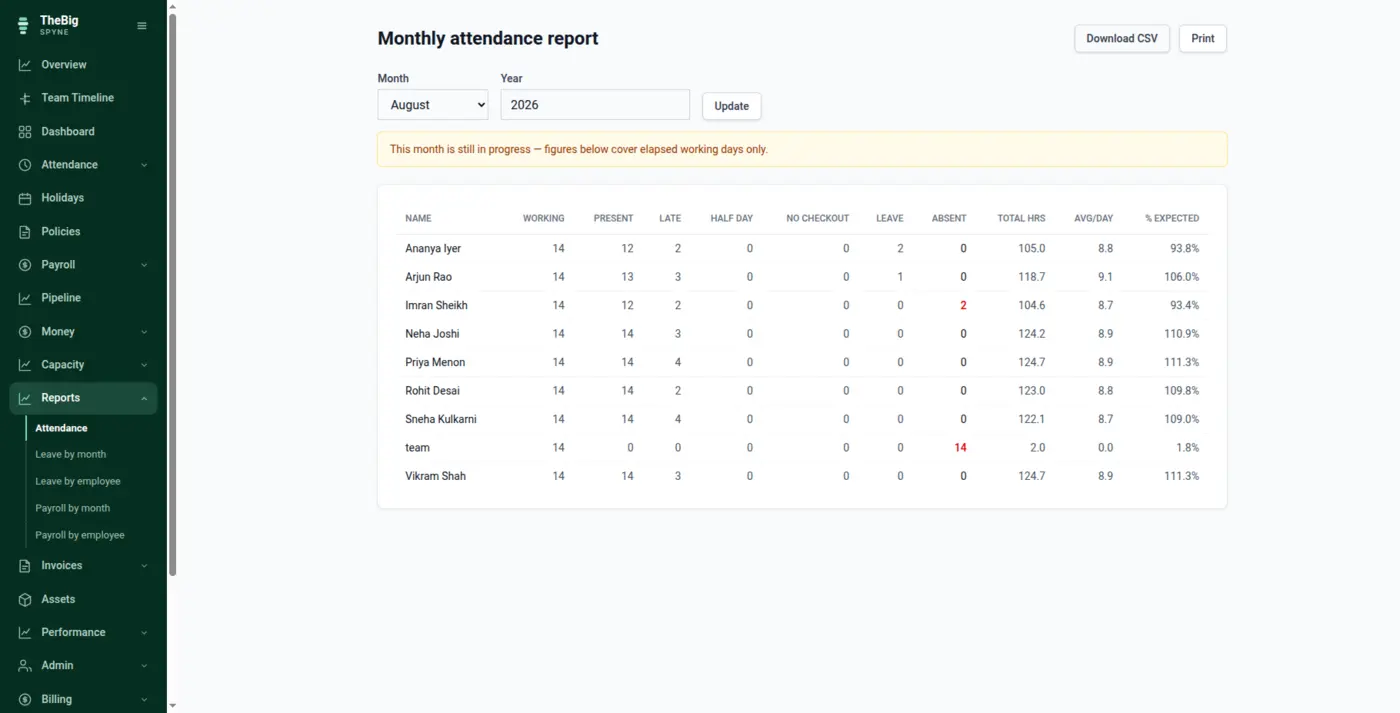
One table per month: days present, late arrivals, half days, missing check-outs, leave taken and total hours, with the percentage of expected attendance each person reached. Export it, or let payroll read it directly.
Every punch stores the IP the server saw and, where the person allowed it, their location. A browser-reported IP is trivially faked, so Spyne never asks the browser for it.
An admin can fix a day, but never quietly: the edit records who changed it, when, why, and what it said before. The employee is told automatically.
A day left open is closed by the system on a schedule, flagged as auto-closed, and still correctable — rather than quietly accruing hours until somebody notices.
Present, late, half day, no check-out, leave and absent for the month, with hours, averages and percentage of expected — and an honest banner when the month is still running.
| Evidence captured | Server-side IP, optional geolocation, device and browser |
|---|---|
| Day types | Work, casual leave, sick leave, unpaid leave, holiday, weekend |
| Corrections | Audited: who, when, reason and previous value |
| Time zone | Stored in UTC, shown in your company's own zone |
| Export | CSV, whole filtered set |
The IP is read from the request on the server, so nothing the browser sends can change it. Geolocation does come from the device — it is the only thing that legitimately can — so Spyne treats it as supporting evidence beside the IP rather than as proof on its own.
A scheduled job closes the day, marks it as auto-closed and tells the person. It stays correctable, and the correction is audited like any other. Nothing silently accrues twelve hours.
Yes. The attendance record is corrected with a reason, and payroll is reissued as a new payslip version. The original version is kept exactly as it was — a correction never rewrites what somebody was already paid.
Yes. There is no geofence that blocks a check-in. Spyne records where the punch happened and shows it beside the record, which is more useful than refusing the punch and leaving no record at all.
These are not separate products. What you record in one is what the next one reads.
Start a trial and generate a full sample company in one click — three months of attendance, payroll, invoices and projects, all joined up. Then delete it and start for real.