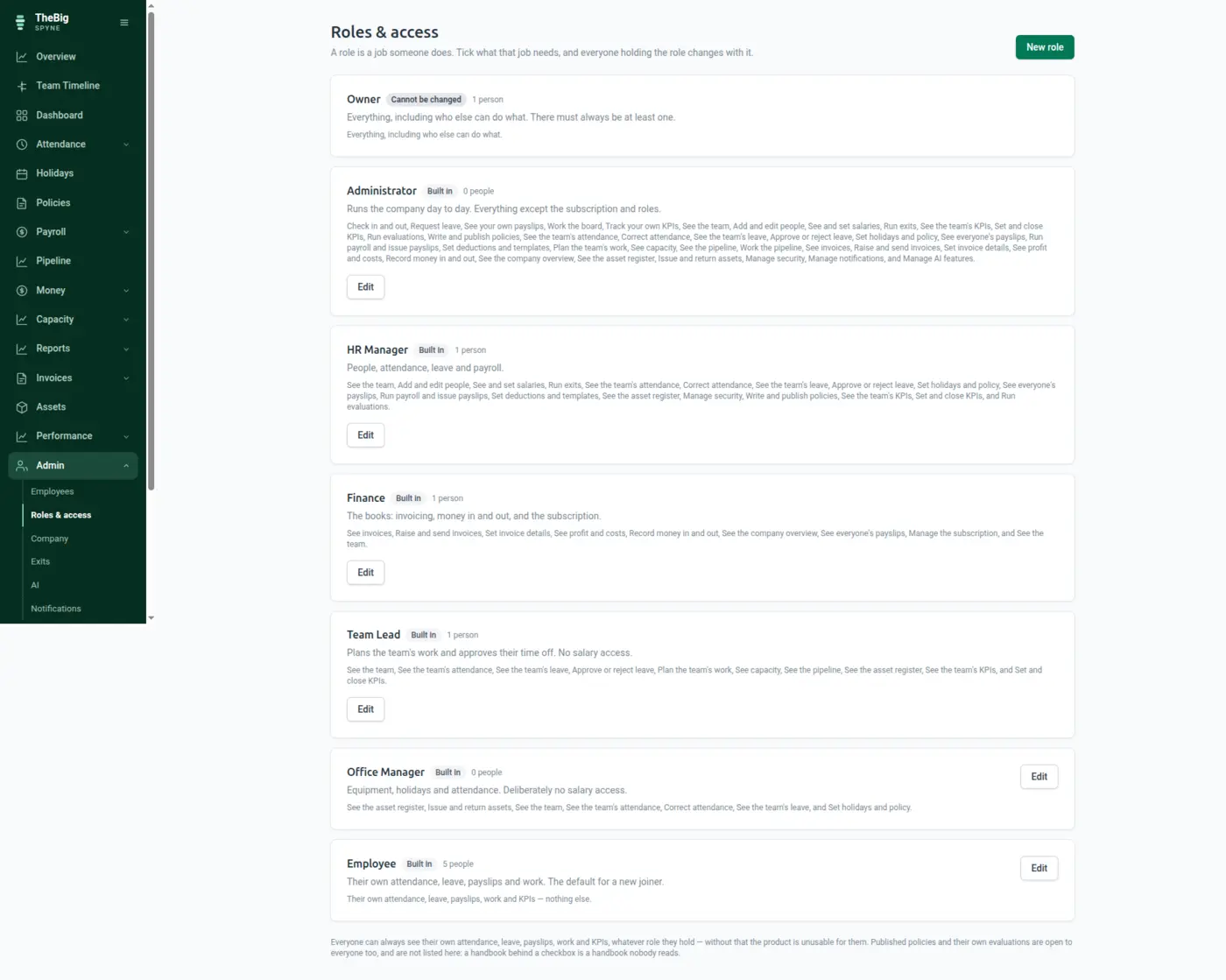
One role called "admin" is why companies end up giving their accountant the keys to everything. Spyne gates every action separately, so you can hand out exactly the access somebody's job needs and nothing beyond it.
30 days free · no card · your data exports whenever you want it
Most systems offer admin or not-admin. So the office manager who tracks laptops gets access to salaries, and the accountant who reconciles payroll gets the ability to issue it. Nobody wants that; the software just left no other option.
Owner, Administrator, HR Manager, Finance, Team Lead, Office Manager and Employee come ready-made — real jobs, not an abstract ladder.
Roles are built from individual permissions, grouped by module. The ones that expose salary or move money are flagged so nobody hands them out by accident.
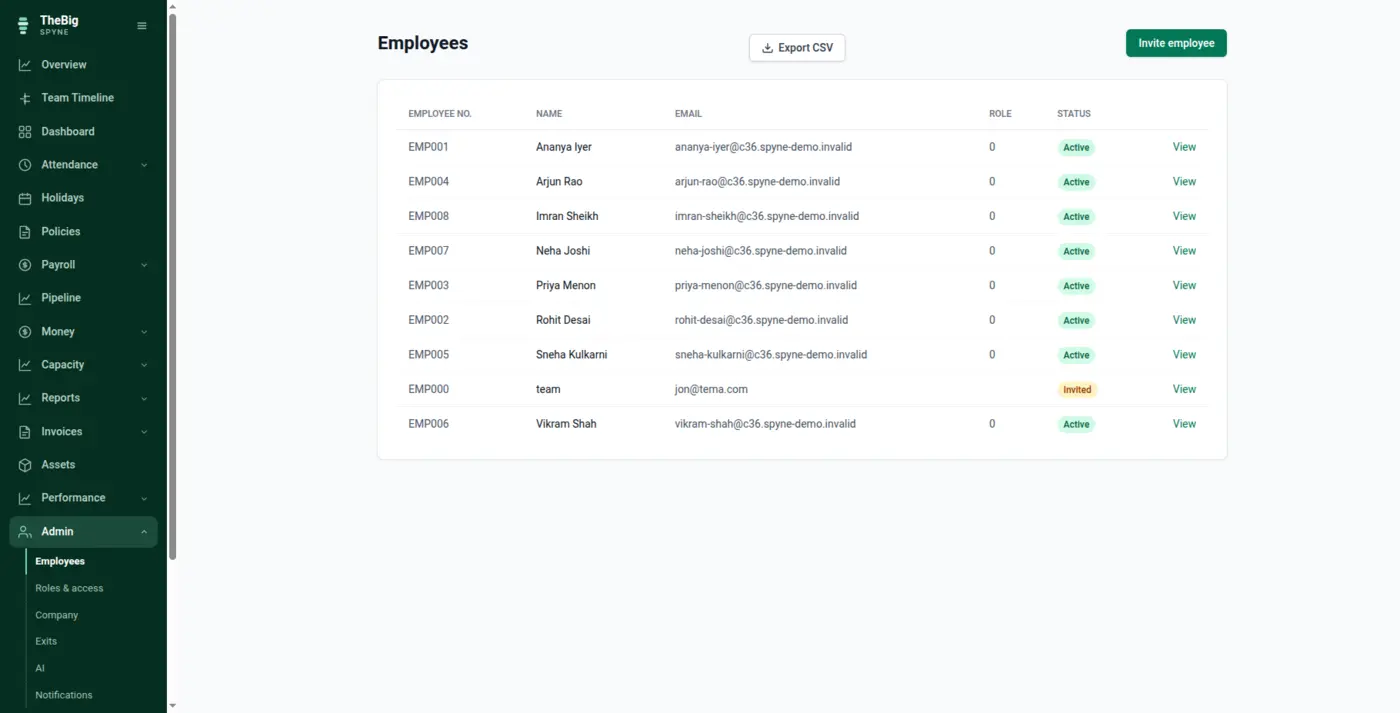
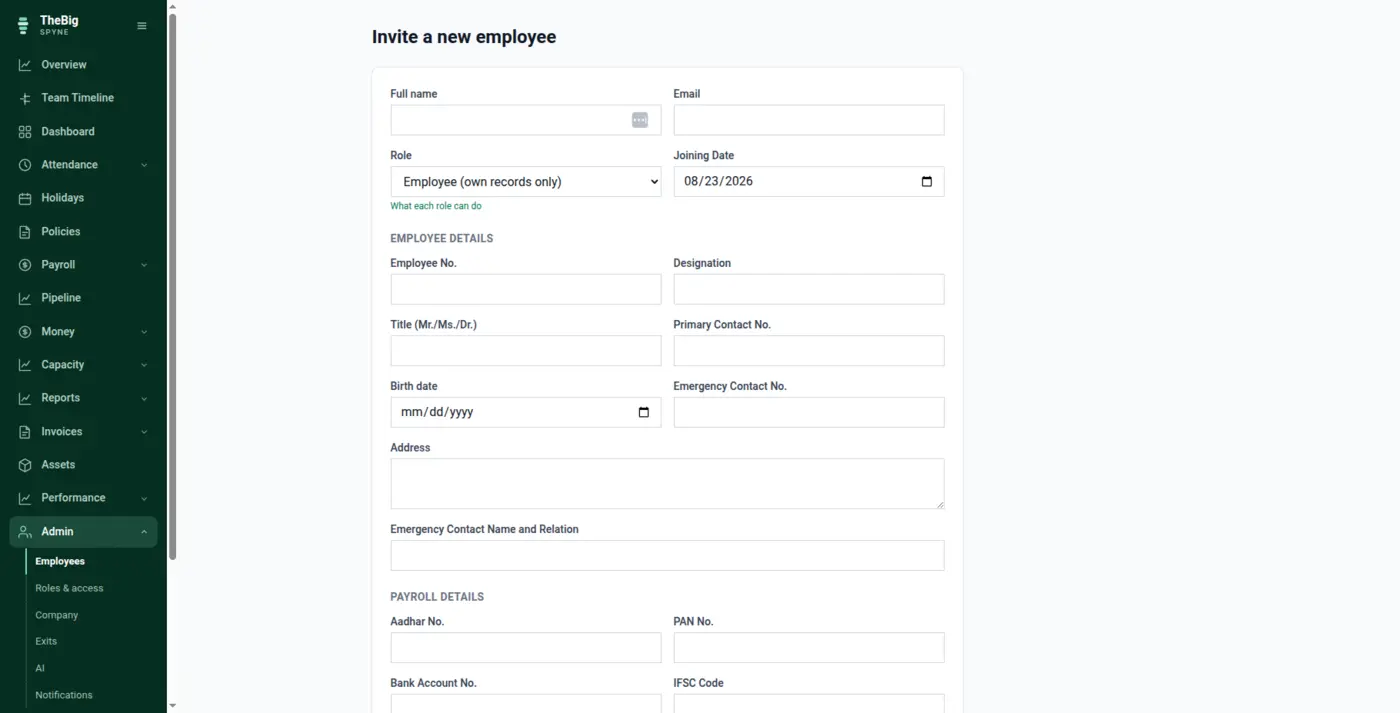
An invitation email, a password they set themselves, and access from the moment they accept.
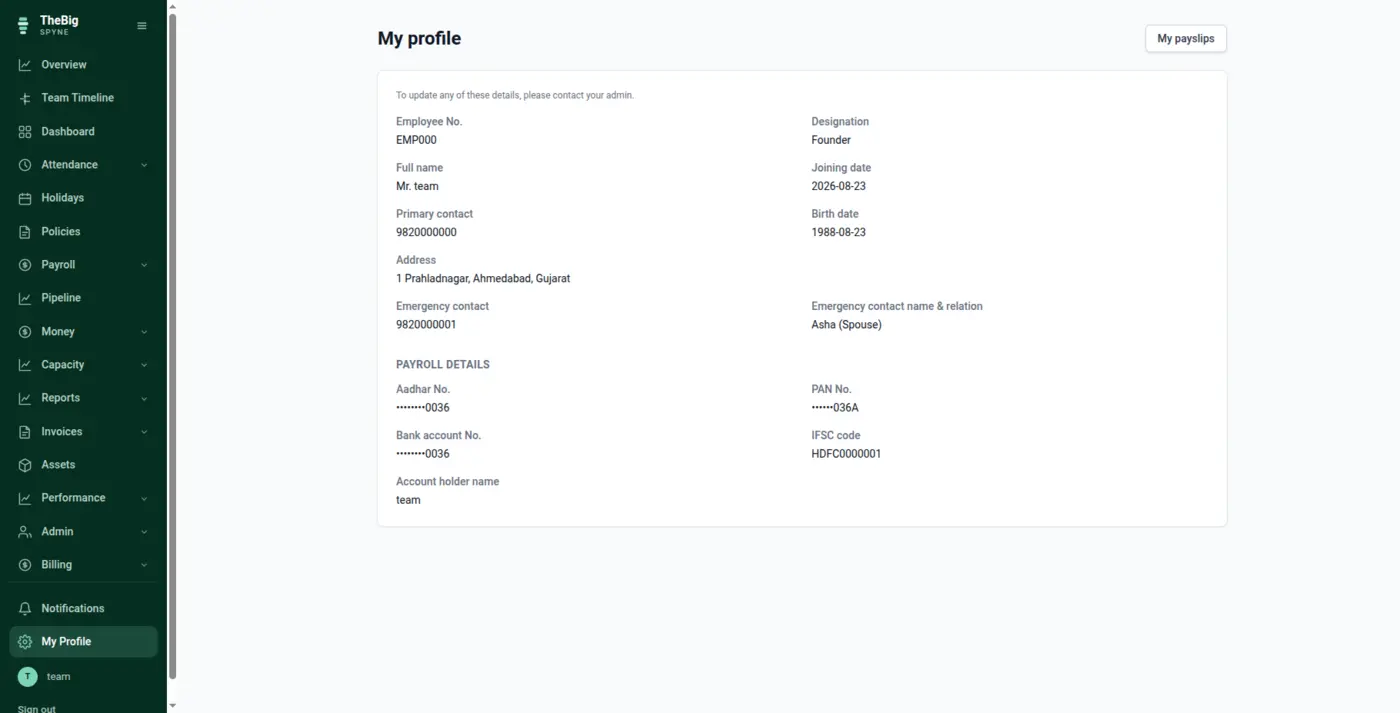
Employee number, designation, joining date, bank details, PAN, Aadhaar, UAN and PF number — held once, used by the payslip, the exit checklist and the statutory deductions.
A six-digit code by email, valid for ten minutes and usable once. Three wrong codes locks the account, and only somebody with the security permission can unlock it — because a person whose mailbox has stopped working cannot fix their own second factor.
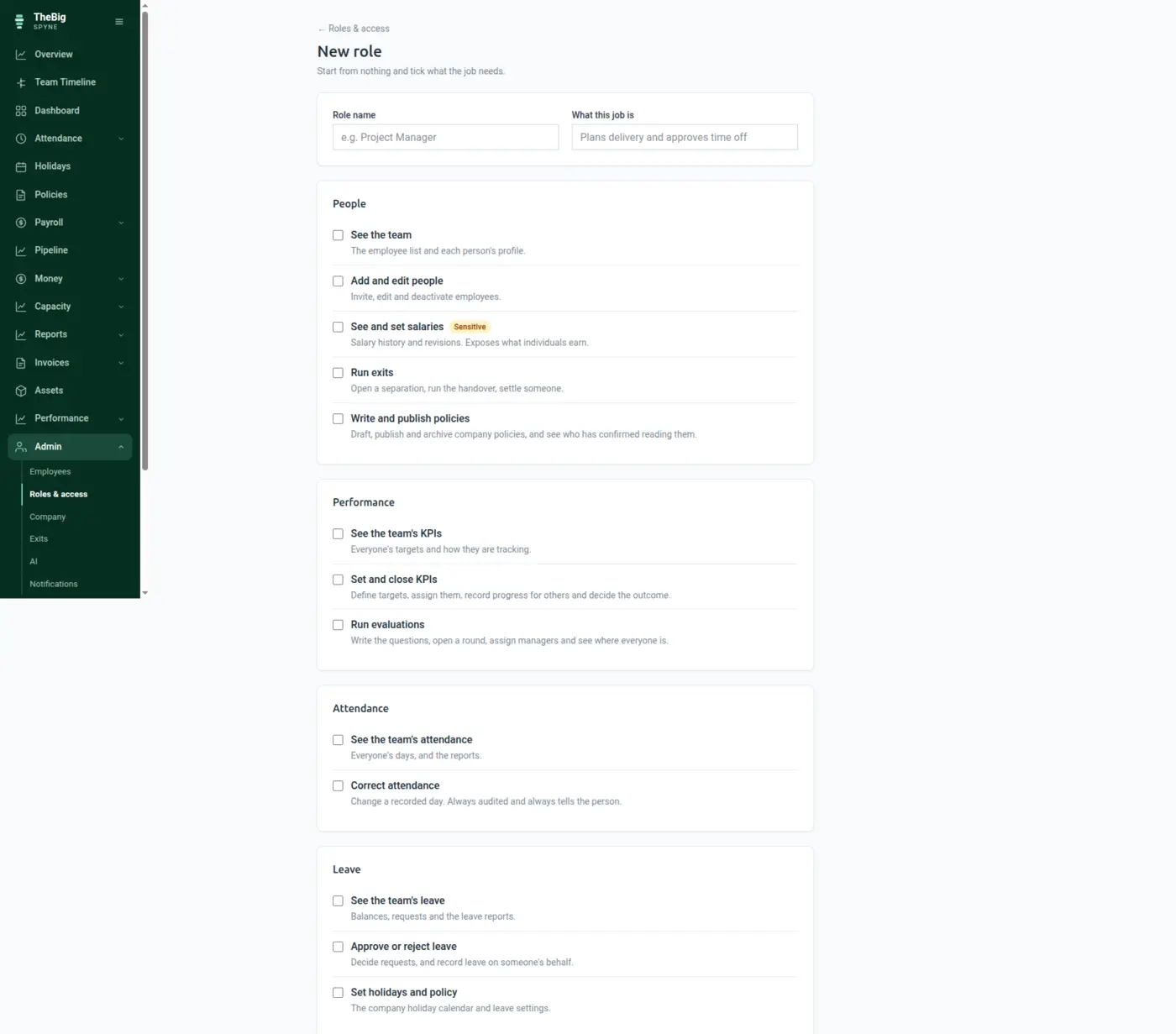
Reading payroll and running payroll are different permissions, because they are different jobs. Same for seeing invoices and raising them.
The navigation is built from what you can actually do. A link that answers "forbidden" teaches people the product is broken; Spyne simply does not show it.
Whatever role somebody holds, they can always check in, request leave, read their own payslips and track their own KPIs. Without that the product is unusable for them.
Email one-time codes, switched on per person or required for everyone. A locked-out colleague is unlocked by an admin, not by a support ticket.
| Default roles | Owner, Administrator, HR Manager, Finance, Team Lead, Office Manager, Employee |
|---|---|
| Granularity | Per action — around 40 distinct permissions |
| Two-factor | Email one-time code, 10-minute validity, single use |
| Lockout | Three wrong codes; unlocked by an admin |
| Import / export | CSV and Excel, with downloadable templates |
Yes. The seven defaults are a starting point, not a cage — you can edit any of them or build a role from scratch out of individual permissions.
Yes, and that is the reason the permissions are per action. "See everyone's payslips" and "run payroll and issue payslips" are separate ticks.
Check in and out, request leave, read their own payslips, work their own tasks and track their own KPIs. Everything else is closed until a role opens it.
Yes — a six-digit code by email, valid for ten minutes and usable once. It can be enabled per person or required for the whole company.
These are not separate products. What you record in one is what the next one reads.
Start a trial and generate a full sample company in one click — three months of attendance, payroll, invoices and projects, all joined up. Then delete it and start for real.