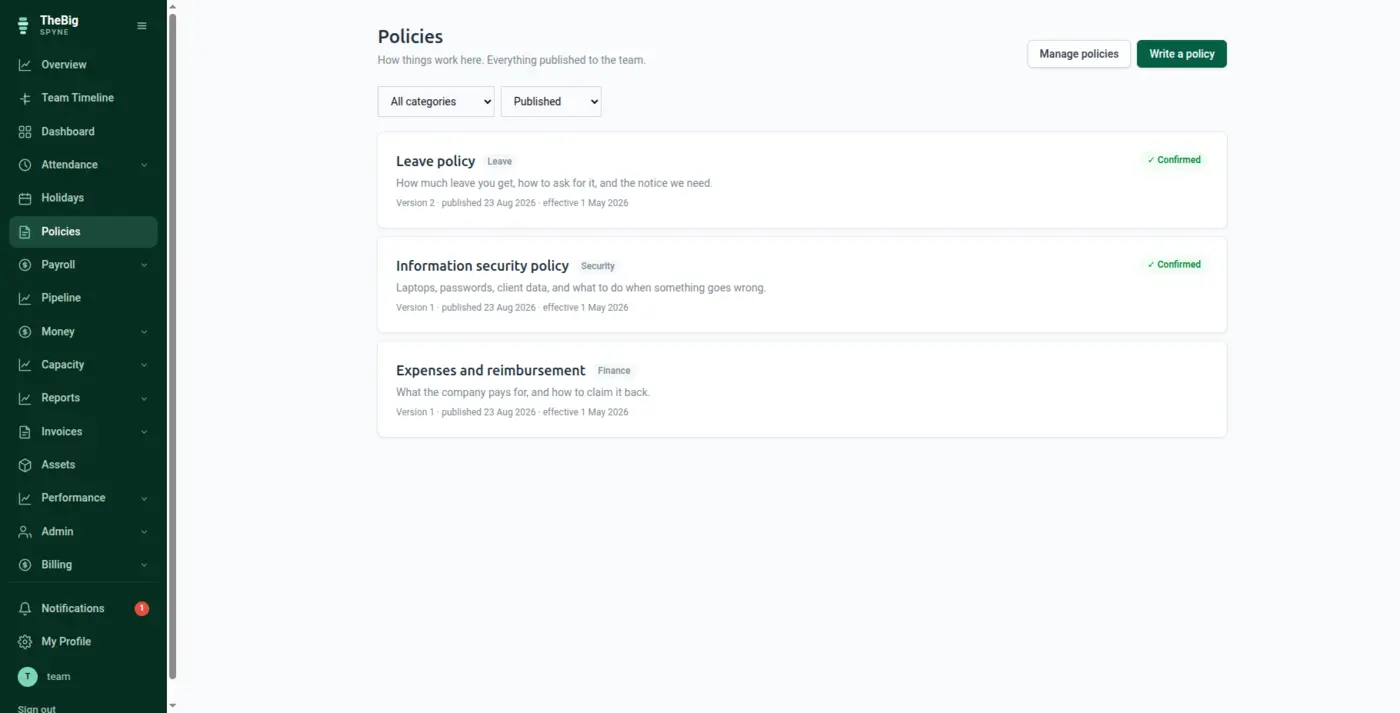
Policies live in a shared drive nobody opens. Spyne publishes them to everyone, records who has confirmed reading which version, and keeps each version frozen — so "what did it say when they agreed to it" is answerable.
30 days free · no card · your data exports whenever you want it
The leave policy changes, the old PDF stays in the drive, and somebody quotes the wrong version in a disagreement. Nobody set out to mislead anyone — there was simply never one authoritative copy.
Type the policy or attach the PDF you already have. Save as many drafts as you like; nobody else sees them.
Publishing freezes that version and tells the whole company. Ask for confirmation where it matters — an information security policy needs one; canteen timings do not.
The screen lists who has confirmed and, more usefully, who has not. Reminders go out daily until they do.
The policy as published, with what changed in this version called out at the top for anybody who read the last one, and the full version history below.
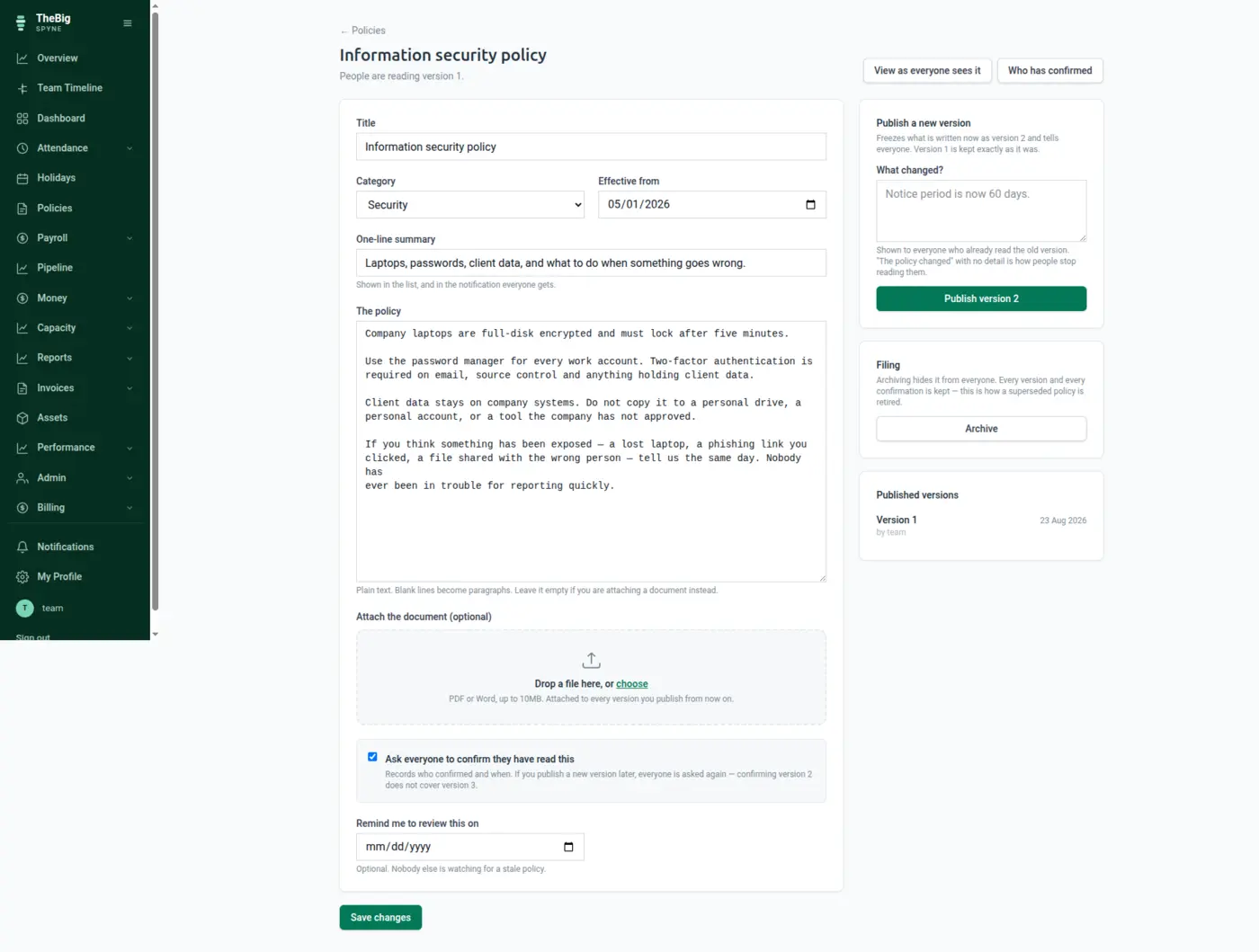
Editing a published policy changes what the NEXT version will say. It never rewrites what somebody already confirmed reading.
A new version asks everyone again, with a note saying what changed. Confirming version 2 does not cover version 3.
Each confirmation records who, when and the IP the server saw — captured server-side, because that is exactly the field somebody would want to forge.
Reading policies needs no permission at all. A handbook you need access rights to read is a handbook nobody reads.
| Categories | HR, leave, conduct, security, finance, IT, health & safety, other |
|---|---|
| Formats | Written in Spyne, or an attached PDF or Word document up to 10MB |
| Versioning | Every published version frozen and kept |
| Acknowledgements | Per version, with timestamp and server-captured IP |
| Review dates | Optional, with a reminder when they arrive |
They stay attached to the version they were given for. The new version asks everybody again, with a note explaining what changed — because a confirmation of the old text is not a confirmation of the new one.
A draft that was never published, yes. A published one is archived instead — deleting it would take every confirmation with it, which is the evidence the feature exists to create.
No, and they should not. It is a per-policy choice: an information security policy needs a signature, a notice about canteen timings does not, and asking for one on everything is how people learn to click confirm without reading.
These are not separate products. What you record in one is what the next one reads.
Start a trial and generate a full sample company in one click — three months of attendance, payroll, invoices and projects, all joined up. Then delete it and start for real.