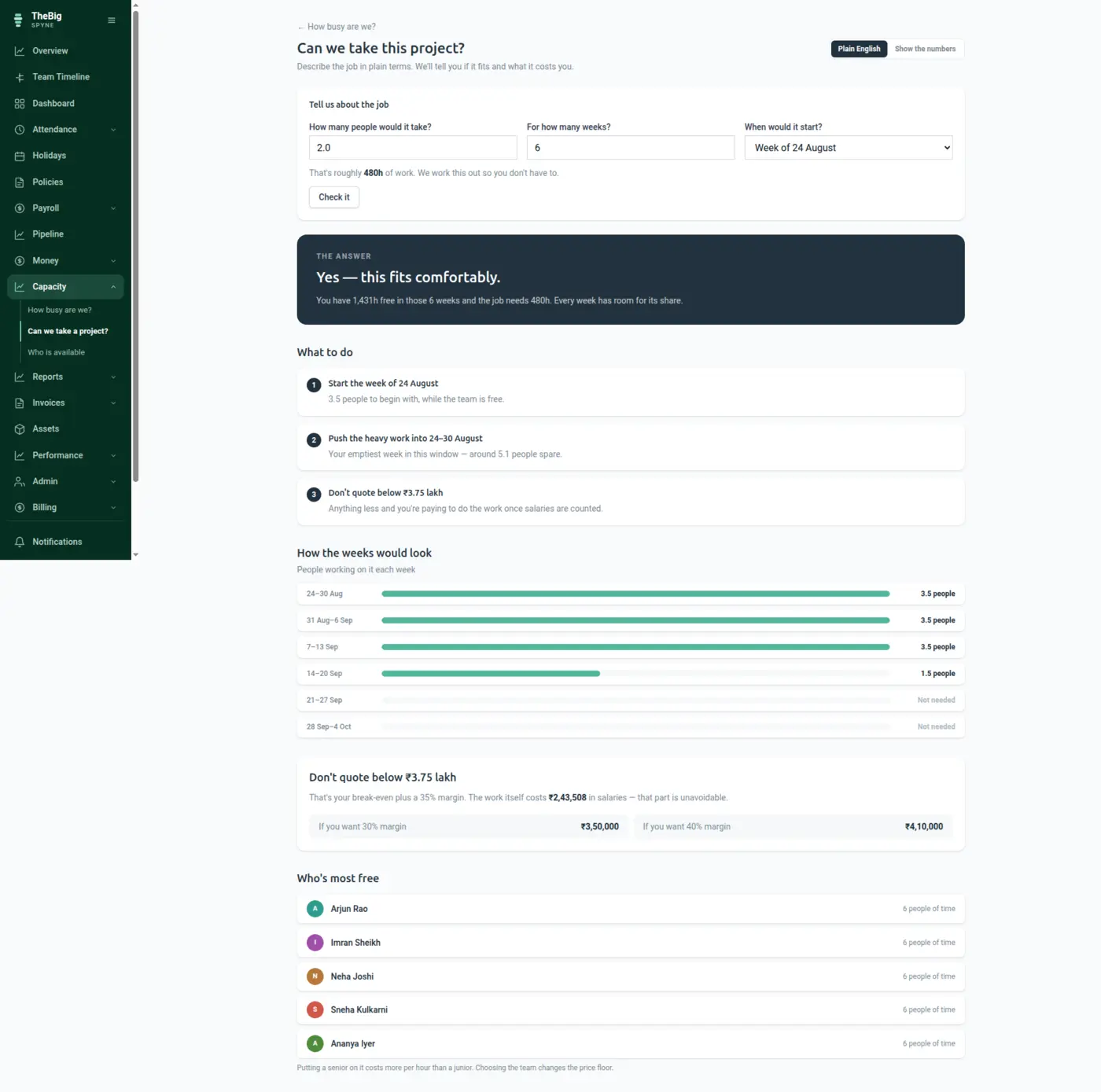
Capacity is usually a feeling. Spyne turns it into hours: what the team has, what is already committed, what leave and exits will remove, and what is left for the thing somebody is about to say yes to.
30 days free · no card · your data exports whenever you want it
Deals get accepted on optimism and delivered on overtime. The information needed to say no — or to price properly — exists, but it is spread across a board, a leave calendar and a salary sheet nobody puts together in time.
Working days across the window, minus approved leave, minus holidays, minus anybody who is leaving — per person.
Scheduled tasks and hours reserved against won deals come off, so what is left is genuinely free rather than theoretically free.
Whether the work fits, and what it costs in salary to deliver — which is the price below which the project loses money.
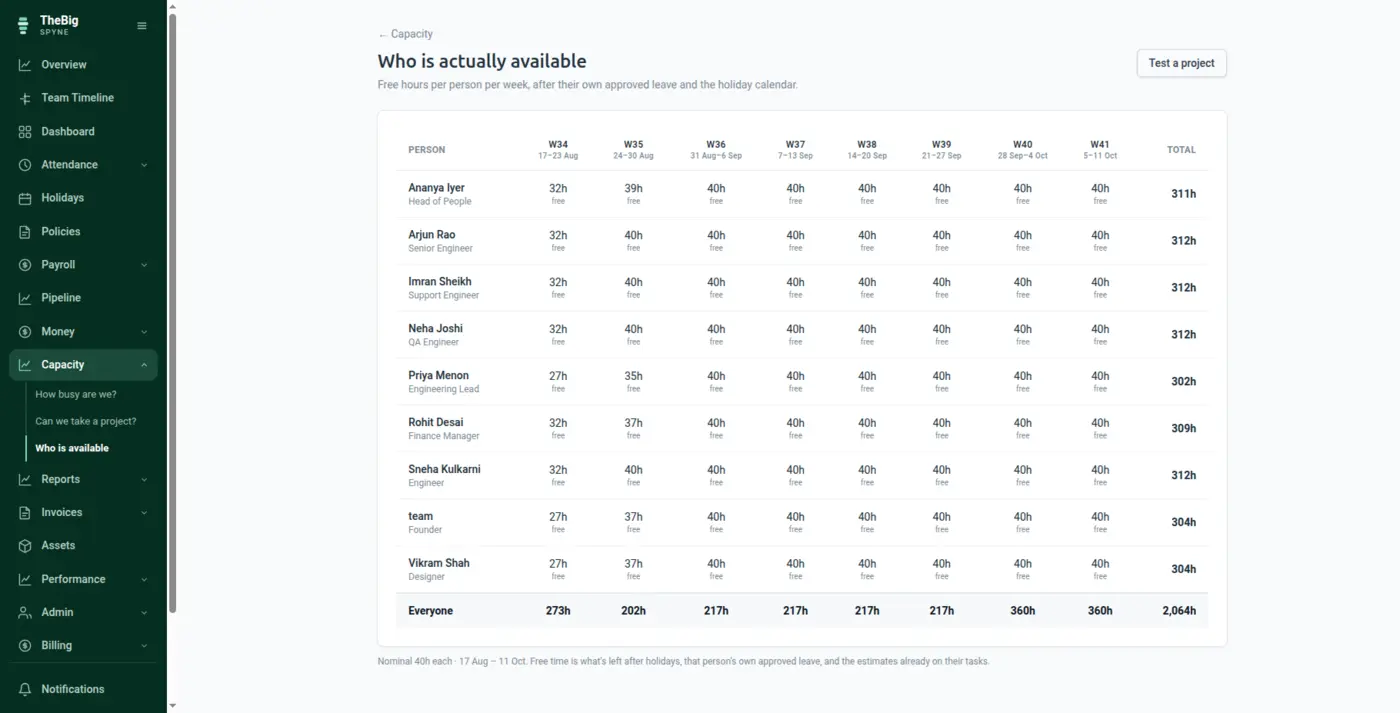
Free hours per person across the next few weeks, after leave, holidays and everything already scheduled. The list a lead needs before promising anything.
The cost of an hour comes from what people are actually paid, including employer PF and gratuity accrual. Not a rate card somebody set two years ago.
The forecast already knows who is on holiday in three weeks and who is serving notice. Those are exactly the hours a spreadsheet forgets.
Hours held for a deal that never closed go back to the pool automatically, so the team never looks full because of imaginary work.
A per-person view of free hours over the window, so the answer is a name and a number rather than a guess.
| Window | Configurable, typically the next 4–12 weeks |
|---|---|
| Deducted | Approved leave, holidays, scheduled tasks, reserved hours, notice periods |
| Cost basis | Actual salary plus employer PF and gratuity accrual |
| Reservations | Expire automatically when a deal does not close |
From issued payslips and current salaries, plus the employer's own PF contribution and gratuity accrual — what the person costs the company, not what lands in their account. It is the same basis Cost of Work uses, so the quote and the eventual margin are measured the same way.
Yes — approved leave, public holidays and anybody serving notice are all removed from available hours before the forecast is shown.
When a deal is won, its estimated hours are held against the team so the next quote does not promise the same time twice. If the work never starts, the reservation expires and the hours return to the pool.
These are not separate products. What you record in one is what the next one reads.
Start a trial and generate a full sample company in one click — three months of attendance, payroll, invoices and projects, all joined up. Then delete it and start for real.