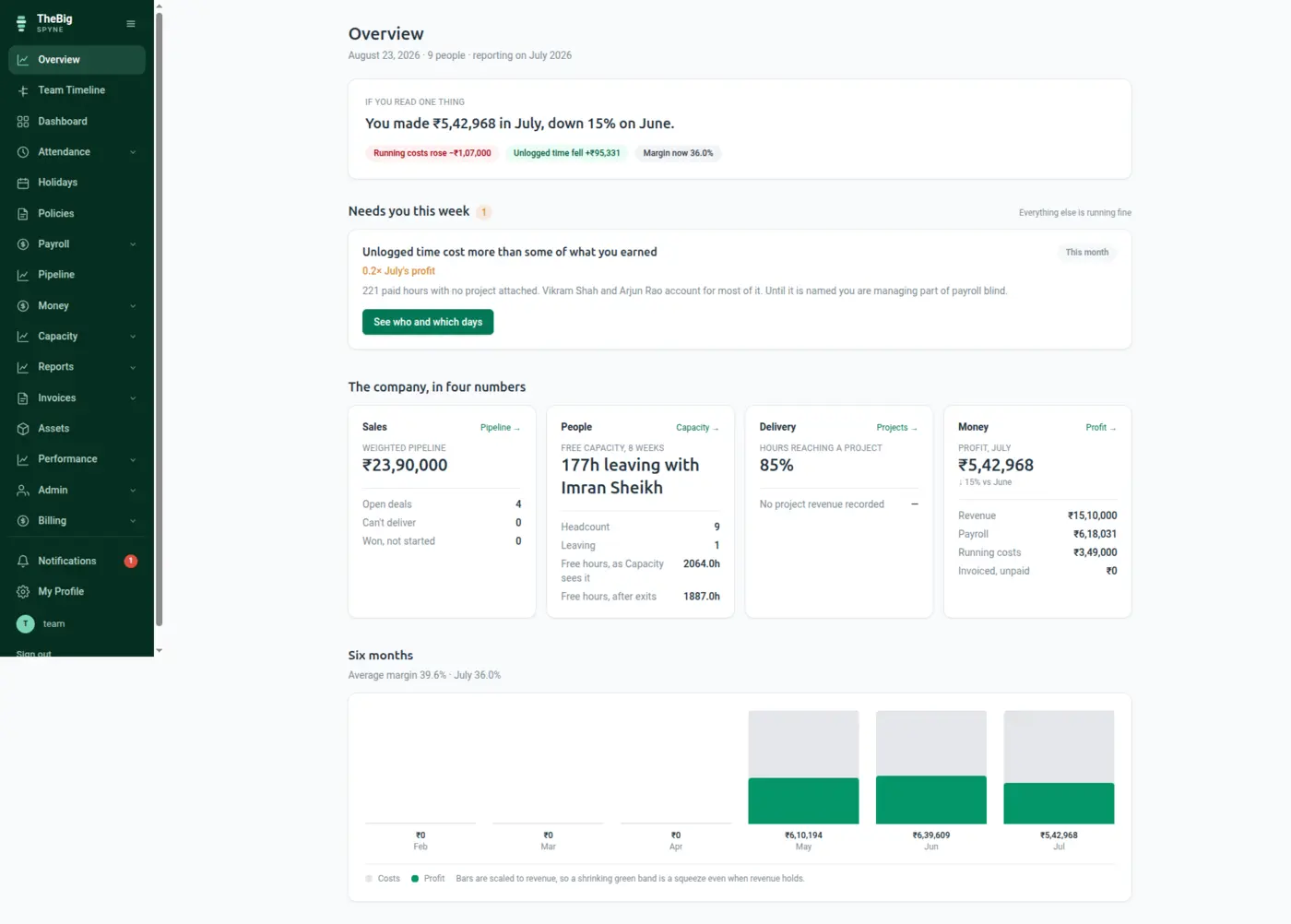
Reports that export what is on screen, print onto one page of A4, and never quietly hand you twenty rows of four hundred — because a CSV that looks complete and is not is the worst kind of wrong.
30 days free · no card · your data exports whenever you want it
Every reporting screen has the same two failure modes: the export ignores the filters, and the printed version silently loses the columns on the right.
By month, by person, by status. The view updates as you change it, so what you are looking at is always what the filters say.
CSV covers everything the filters match, not the page on screen. Money is exported in rupees, because a spreadsheet full of paise is a spreadsheet nobody can use.
Report layouts are built for A4 and verified by extracting text from the finished PDF — the only way to catch a column falling off the edge.
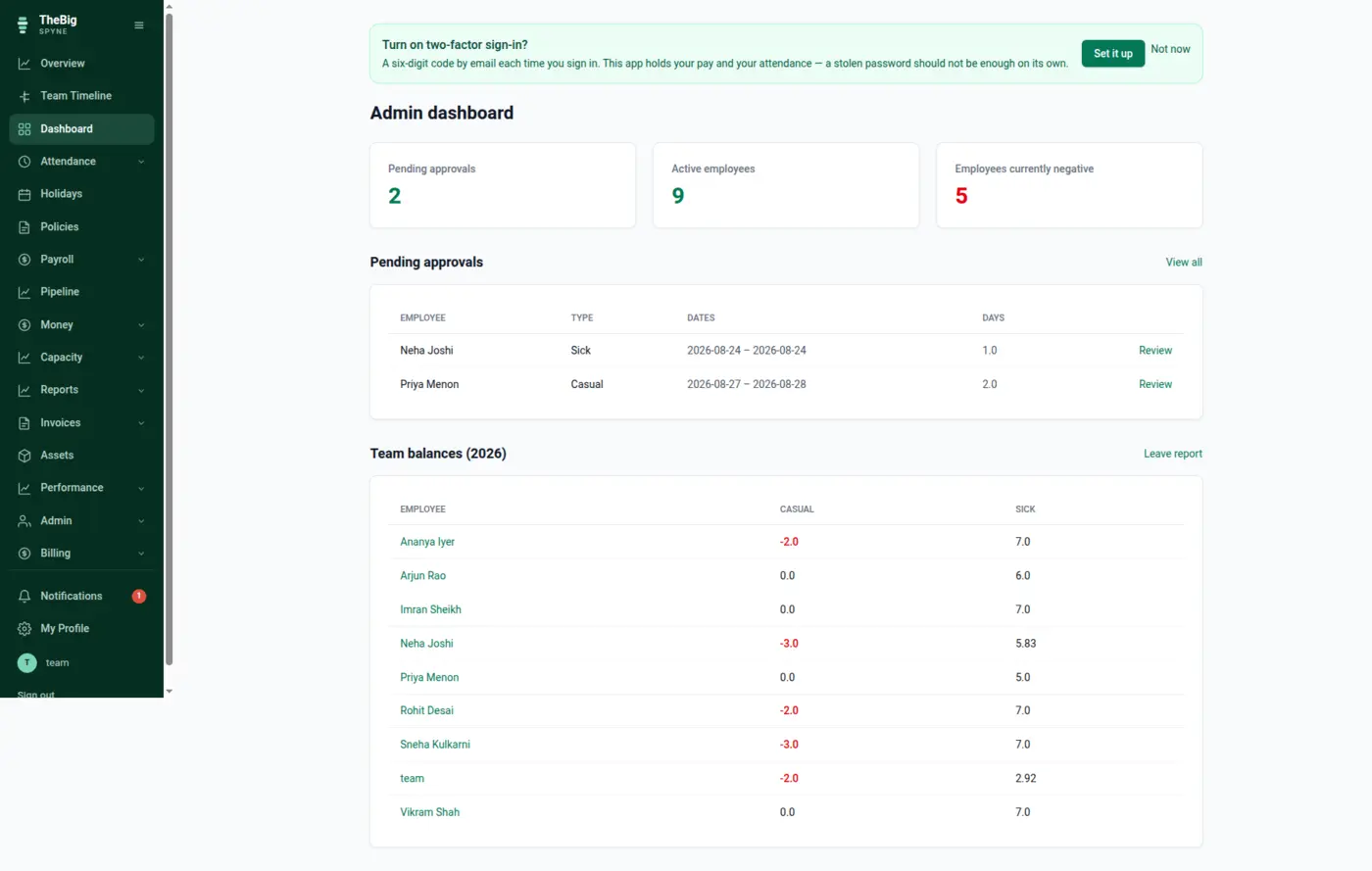
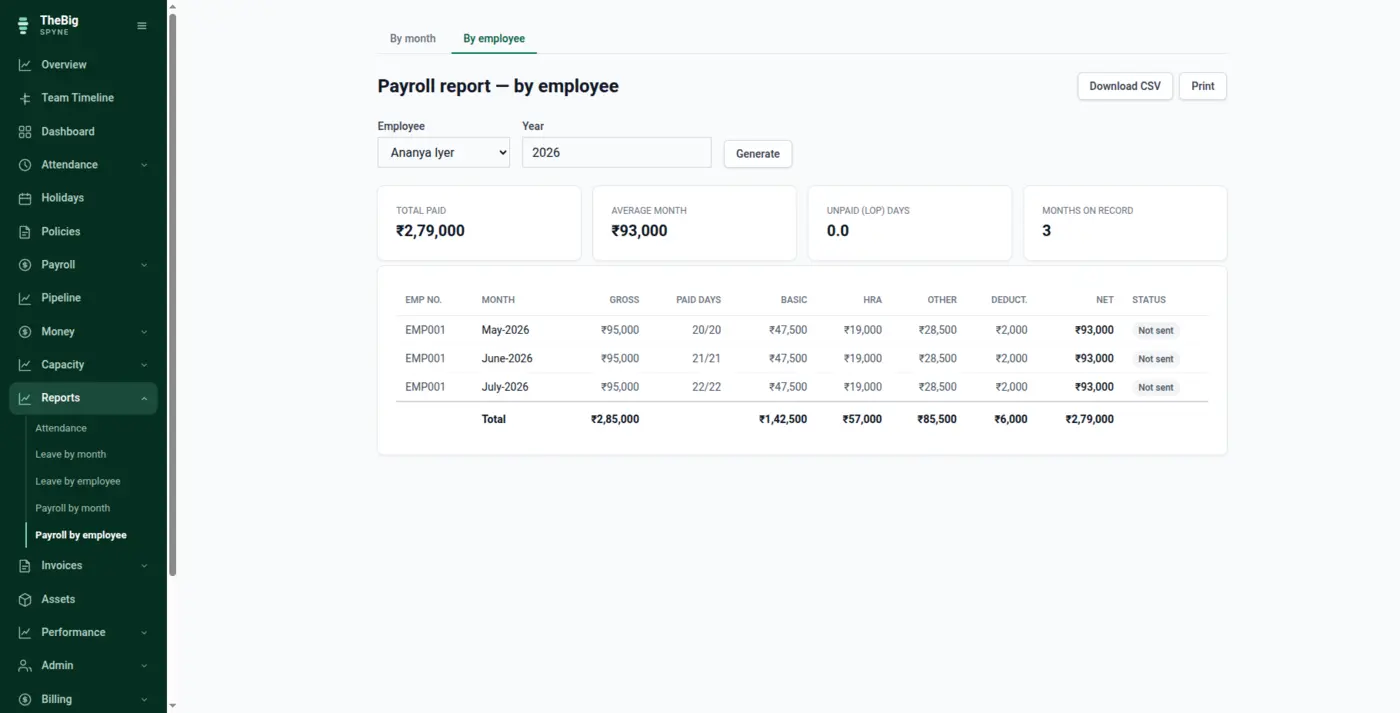
Every payslip issued in a month with its totals, or one person's year with each month beside the last. Both read the immutable snapshots, so a historical report never changes.
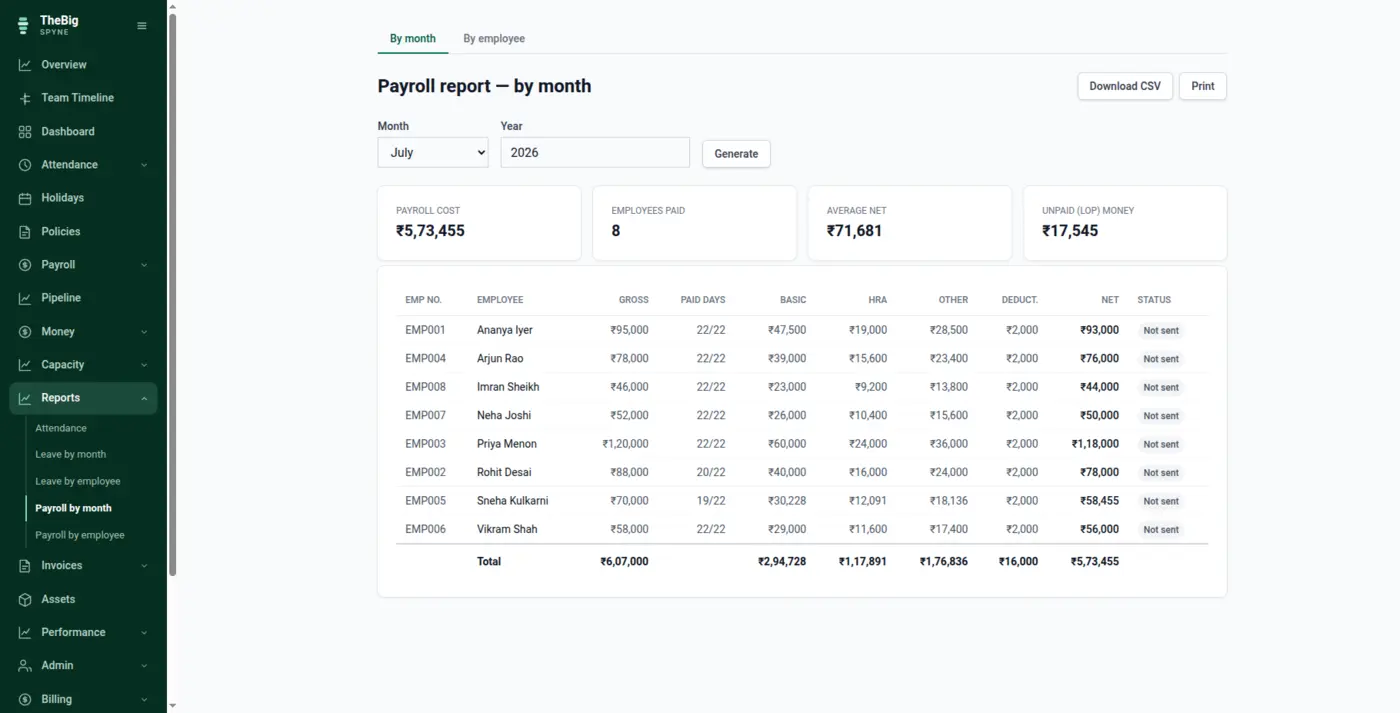
Everybody lands on a dashboard scoped to them: their leave balances, their requests, upcoming holidays, and anything waiting on them.
Always the full filtered set. An export that quietly differs from the view is the worst class of bug on a reporting page.
Print layouts are checked by rendering a real PDF and reading the text back, because print preview will happily hide a lost column.
The owner's dashboard opens with one sentence about the month, then only the things that need a decision — not sixteen charts.
Pagination is consistent across every list in the product, so no screen surprises you with a partial answer.
| Reports | Attendance by month, leave by month and by employee, payroll by month and by employee |
|---|---|
| Export | CSV of the whole filtered set; Excel for imports |
| A4 layouts, text-extraction verified | |
| Pagination | 20 rows per page across the product |
Everything the current filters match. A CSV that silently contains twenty of four hundred rows looks complete, which makes it worse than an obviously broken one.
Yes. Every list in the product exports to CSV, and it is your data. There is no export fee and nothing is held back.
Payroll reports read the immutable payslip snapshots and count only current versions, so a correction shows as the corrected figure without double-counting — and a salary change today never alters last year's report.
These are not separate products. What you record in one is what the next one reads.
Start a trial and generate a full sample company in one click — three months of attendance, payroll, invoices and projects, all joined up. Then delete it and start for real.